DIY Photo Booth: 3 Builds With Real Costs, Apps and Lighting
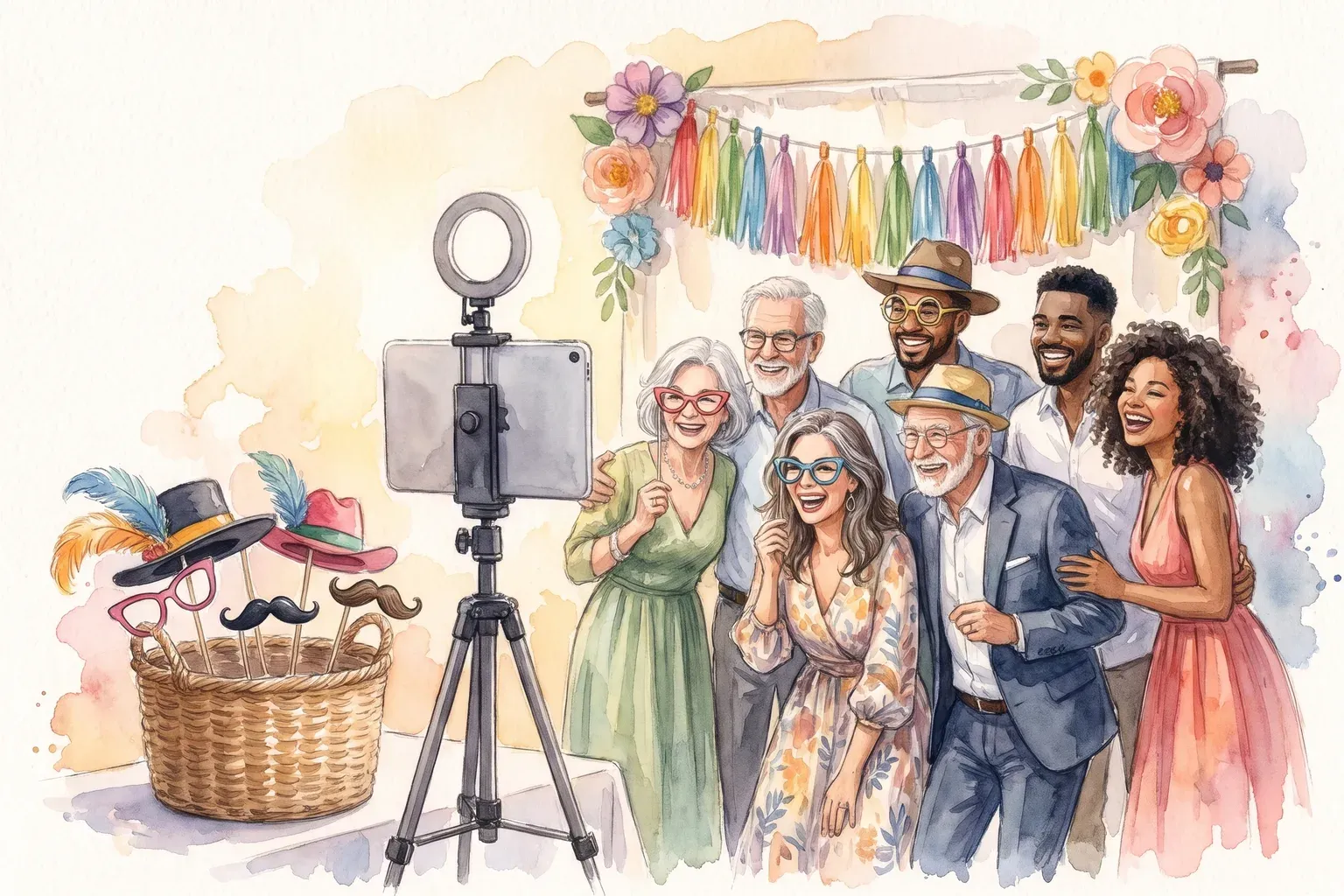
You want a photo booth at your wedding, birthday or holiday party, and the quotes start around $500. A DIY photo booth can cost far less, but only if you already own the expensive part. With a phone or iPad you have, a ring light, a backdrop and a booth app, you can build a good one for about $160 to $340. Add an instant printer and paper for 100-odd guests and you are close to $600, which is roughly what a rental costs.
So the short answer: build it yourself if you own the camera, have a friend who will babysit it, and care more about the fun than the prints. Rent if you want fast prints for a big crowd and nobody wants the job.
Below are three builds with itemized costs, a factual comparison of the main photo booth apps, the lighting fixes that separate a good DIY booth from a dim one, backdrop and prop ideas with prices, and a checklist. Every price was checked in November 2026 at the retailer or vendor named. Prices move, so treat them as a guide, not a quote.
The short version: what each option costs
Here is the summary. The builds assume you already own the device (phone, iPad, or camera plus laptop). The rental figures come from Check Cherry's analysis of booked rentals, updated August 2026, which we cover in detail in our photo booth rental cost guide.
| Option | Cost if you own the device | Prints | Good fit |
|---|---|---|---|
| Phone + ring light + remote | about $176 | Add an Instax printer | Birthdays, small house parties |
| iPad + booth app on a stand | about $333 | Add a SELPHY printer | Weddings, holiday parties, 50 to 150 guests |
| DSLR tethered to a laptop | about $489 | Prints to most desktop printers | People who already own a camera and like gear |
| Rental, drop-off (no attendant) | about $450 median | Often included | Hosts who want it delivered and set up |
| Rental, party or personal event | $606 median | Often included | Hosts who want someone else to own it |
| Rental, wedding | $886 median | Usually included | Big weddings that want prints and an attendant |
Two things jump out. A DIY booth only saves real money when the camera is free to you. Buying a base iPad at Apple's $449 starting price wipes out most of the saving on a single event. And prints are what push DIY toward rental prices, because a printer, paper and someone to reload it add up fast.
Three DIY photo booth builds, with real costs
All three builds share the same bones: a camera at roughly head height, light on the guests' faces, a backdrop behind them, and a way for guests to trigger the shot themselves. Simple Booth's setup docs suggest putting the camera about 5 feet off the floor and angling it slightly down, which is a good starting point for any of these.
Build 1: Phone, ring light and Bluetooth remote
This is the cheapest serious build. The Neewer RL-18 kit does most of the work in one box: an 18-inch ring light, a stand that extends to 61 inches, a phone holder, and a Bluetooth remote that works with iPhone and Android.
| Item | Price (checked Nov 2026) |
|---|---|
| Neewer RL-18 18-inch ring light kit (stand, phone holder, remote) | $114.99 at Neewer |
| 3 Party City gold foil fringe curtains, 3 x 8 ft each | $38.97 ($12.99 each) at Staples |
| Booth app: phone camera (free) or Pocketbooth Premium, 1 week | $0 to $4.99 |
| Prop pack, 12 cardstock props | $17.09 at Staples |
| Total | about $171 to $176 |
How it works on the night: mount the phone in the ring, set the front camera so guests see themselves, and leave the remote on a string or in a dish. Pocketbooth, free on the App Store with weekly, monthly or yearly premium options, adds countdowns, photo strips, GIF and boomerang modes, and AirPrint.
The catches are real. You lose your phone for the evening. Every photo lands on that one phone, so you need a plan to share them afterward. Front cameras are usually weaker than rear ones, which matters more in dim rooms. And a ring light around a phone lights a small group well but struggles with six people squeezed in.
Build 2: iPad photo booth with an app on a stand
This is the classic DIY photo booth and the one most booth apps are built for. Guests see a big live preview, tap one button, get a countdown, and the app handles layouts, sharing and printing.
| Item | Price (checked Nov 2026) |
|---|---|
| iPad you already own (or base iPad from Apple) | $0 (or from $449) |
| Neewer 7 to 14 inch tablet holder with swivel clamp | $36.99 at Neewer |
| Neewer ST-200 light stand (200 cm) to hold the iPad | $49.99 at Neewer |
| Neewer RL-18 ring light kit, used as the main light | $114.99 at Neewer |
| Simple Booth HALO Lite, 1 week (App Store) | $14.99 |
| 3 foil fringe curtains | $38.97 at Staples |
| Neewer 10 x 7 ft backdrop stand | $59.99 at Neewer |
| Prop pack | $17.09 at Staples |
| Total if you own the iPad | about $333 |
You can drop to about $273 by taping the backdrop to a wall instead of buying the stand. Check that the tablet clamp fits your stand's pole before the event, and turn on Guided Access (iPad's kiosk mode) so guests can't wander out of the app. Simple Booth's docs specifically tell you to set this up and test it before event day.
If you don't want a subscription, Pocketbooth Party is a separate iPad app at $19.99 with no in-app purchases. Its listing says it can print automatically to AirPrint printers as photos are taken and supports Guided Access. It has only 31 App Store ratings, so test it well.
Build 3: DSLR or mirrorless camera tethered to a laptop
If you own a decent camera, this gives the best image quality, especially in a dim room. The camera connects to a laptop by USB, software on the laptop runs the countdown and layouts, and guests watch themselves on the laptop screen or a TV.
| Item | Price (checked Nov 2026) |
|---|---|
| Camera, tripod and laptop you own | $0 |
| Sparkbooth DSLR edition (one-time, Windows or Mac) | $199 |
| Neewer NK200 softbox kit, two 24 x 24 inch softboxes with stands | $139.99 at Neewer |
| Neewer 10 x 7 ft backdrop stand | $59.99 at Neewer |
| 8 x 8 ft sequin backdrop (third-party seller on Target) | $72.49 |
| Prop pack | $17.09 at Staples |
| Total | about $489 |
Budget extra for an AC adapter or "dummy battery" for your camera. Simple Booth's DSLR guide lists one as required kit, because a camera running live view for four hours will drain normal batteries. Prices depend on your camera model, so we haven't included one.
Software is the main choice here. Sparkbooth is a one-time purchase ($159 for webcams, $199 with Canon, Nikon and Sony camera support) with a free 30-day trial that watermarks photos. LumaBooth, formerly dslrBooth, is a subscription: $19.99 a month on Mac, $49.99 a month on Windows, with cheaper annual billing. Test tethering at home with your exact camera, cable and laptop. This build has the most parts, and the most ways for a cable to wiggle loose at 10 pm.
Adding instant prints: printers, paper and the math
Prints are why many people want a booth at all. They are also where DIY gets slow and expensive. Here are the two printers most hosts consider.
| Printer | Price (Abt, Nov 2026) | Print size | Speed | Cost per print | Connects by |
|---|---|---|---|---|---|
| Canon SELPHY CP1500 | $179 regular, $159 with a rebate ending Dec 6, 2026 | 4 x 6 in | about 41 seconds (Canon's figure) | about 36 cents (RP-108 set: $39 for 108) | Wi-Fi, AirPrint, USB, SD card |
| Fujifilm Instax mini Link 3 | $116.95 | Credit-card size | about 15 seconds to print | about $1.25 (twin pack: $24.99 for 20) | Bluetooth, via Fujifilm's app |
The SELPHY is the better booth printer for most hosts. It supports AirPrint, so iPad booth apps can send prints to it directly, and paper is cheap. The Instax is charming and fast to eject, but it has no Wi-Fi, so it won't appear as an AirPrint printer for a booth app. Someone prints from Fujifilm's app one photo at a time, and at $1.25 a print the film adds up.
Now the math that DIY guides skip. At 41 seconds a print, a SELPHY tops out at about 87 prints an hour (3,600 ÷ 41) if it never stops. Say 120 guests produce 60 booth sessions and each session prints two copies, one for the guests and one for a guest book. That is 120 prints, or about 82 minutes of printing (120 × 41 seconds). Spread over three hours, fine. But booths get busy in bursts, often right after dinner, and in a 20-minute rush the printer can produce only about 29 prints. Expect a short queue.
Two other limits: the CP1500's paper tray holds 18 sheets, so someone reloads it every 18 prints, and each RP-108 set holds 108 sheets. For 120 prints you need two sets ($78). So the iPad build with a SELPHY and paper comes to about $590 ($333 + $179 + $78), which is right next to the $606 rental median for parties. The difference is that you keep the gear.
Professional booths use dye-sublimation printers from brands like DNP that, per Simple Booth's docs, can print in as little as 30 seconds. Those need a separate print server and cost far more, which is part of what you pay for with a rental.
If prints are not the point, skip the printer. Guests get the photos by text, email or QR code, and you save the reload duty.
Photo booth apps compared (checked November 2026)
Most "best photo booth app" lists are written by people selling one of them. These figures come from each vendor's own pricing page or App Store listing. Glambot-style slow-motion robot-arm videos need motorized hardware, and Snappic, for example, lists its Glam Robot Arm support only above the Starter tier. That hardware is rental territory, so we leave it out.
| App | Runs on | Price | Prints | GIF / boomerang | DSLR support |
|---|---|---|---|---|---|
| Simple Booth HALO | iPad only | Lite $14.99/week via App Store. Core $24/week or $49/month on the web | Yes, from Core. Lite is for casual events | GIF, Live GIF, Rebound listed | Yes, Canon and Sony (Core and up) |
| Snappic | iPad | Starter $29 per event (48 hours) or $69/month. 14-day free trial | Wired, AirPrint and print-server options listed; check your tier | Still, GIF, Burst on Starter | Yes, DSLR and GoPro on Starter |
| Pocketbooth | iPhone, iPad | Free; premium $4.99/week, $19.99/month or $99.99/year | AirPrint | GIF and boomerang modes | No |
| Pocketbooth Party | iPad | $19.99 one-time, no in-app purchases | Auto-print to AirPrint | Not mentioned | No |
| Sparkbooth | Windows, Mac | $159 (webcam) or $199 (DSLR), one-time; 30-day trial | Any Windows or Mac printer, automatic | GIF and boomerang | DSLR edition: Canon, Nikon, Sony |
| LumaBooth (dslrBooth) | Windows, Mac | Mac $19.99/month, Windows $49.99/month; annual billing cheaper | Not listed on its pricing page | Not listed on the Windows plan | Canon, Nikon, Sony, webcams |
| Photoboof | Windows | Not published; licenses include an arcade-style button | Any Windows printer | Not mentioned | Canon and Nikon DSLRs, webcams |
How to choose:
- One party, iPad you own: Simple Booth Lite for a week ($14.99) is the simplest path. If you need printing or DSLR support, check that the tier you buy includes it, since Simple Booth says Lite lacks advanced features.
- One party, phone only: Pocketbooth with a week of premium ($4.99).
- Several parties a year, no subscription: Pocketbooth Party ($19.99) on iPad, or Sparkbooth on a laptop.
- You own a good camera: Sparkbooth DSLR if you want to pay once, LumaBooth if you prefer monthly.
- You want every guest to get photos by text or QR on the spot: Snappic or Simple Booth, which are built around instant sharing.
Whatever you pick, use the free trial on the exact device you will use at the party. A booth app that works on your iPad at home can still behave differently on venue Wi-Fi.
Lighting: the part DIY photo booths get wrong
Most DIY booths have a fine camera and a nice backdrop and still produce murky, orange, shadowy photos. The cause is almost always light. Reception rooms and living rooms are lit for mood, not for faces, and the light usually comes from above, which puts shadows under eyes and noses. Zola's DIY guide makes the same point about overhead and fluorescent light.
Fix it in this order:
- Put a light in front of the guests, near the camera. A ring light around or just behind the camera is the simplest choice. It should sit at about face height or slightly above, never below.
- Light the faces brighter than the room. If the booth is as dim as the dance floor, the camera raises its sensitivity and the photos go grainy. Your booth light should be the brightest thing pointing at the guests.
- Use two lights for groups. One ring light covers two or three people. For groups of five or six, two softboxes or panels placed at roughly 45 degrees on either side of the camera spread light across the whole frame.
- Pull guests forward from the backdrop. A few feet of space keeps their shadows off the backdrop. Simple Booth's docs also warn that creased backdrops cast distracting shadows, so clamp or steam the fabric.
- Watch the glasses. A ring light can show up as a white circle in eyeglasses. Raise the light a little and angle it down until the reflection disappears.
- Don't put a window or bright lights behind the guests. The camera exposes for the bright background and turns faces into silhouettes. Fairy lights behind people are fine as decoration as long as the front light is stronger.
- Pick one color temperature. Mixing a white ring light with warm room lamps gives odd skin tones. The RL-18 kit comes with warm and cool filters, so match the room or switch the room lights off near the booth.
Then test at the real time of day. A booth that looks great at 4 pm by a window can be a cave at 9 pm. Take test shots with the tallest and shortest person you know, standing together, at the same hour your party runs.
DIY photo booth backdrop ideas and photo booth props, with costs
A backdrop does two jobs: it hides a messy room, and it makes 200 photos look like they came from the same night. Here are six options, cheapest first.
| Backdrop | Cost (checked Nov 2026) | Works for | Watch out for |
|---|---|---|---|
| A plain wall, door or bookshelf you like | $0 | Casual birthdays | Light switches, clutter, outlets in frame |
| Gold foil fringe curtains (3 x 8 ft) | $12.99 each at Staples; three cover about 9 ft | Birthdays, New Year's, 50ths | Reflective, so light from the front, not the side |
| LED warm-white light curtain behind sheer fabric | $15.58 at Staples (10 strings, 6.5 ft each) plus fabric | Weddings, winter parties | Pretty glow, but does not light faces |
| Balloon garland (90-balloon kit) | $39.99 at Staples | Showers, kids' birthdays | Inflation and assembly required; budget time and a pump |
| 8 x 8 ft sequin curtain | $72.49 at Target (third-party seller) | Weddings, holiday parties | Needs a stand; sequins can sparkle into hot spots |
| Backdrop stand, 10 x 7 ft | $59.99 at Neewer | Any fabric backdrop | Use sandbags or weights if kids are nearby |
A few photo booth ideas by event, using the options above:
- Wedding photo booth ideas: a sequin or sheer fabric backdrop with a warm light curtain behind it, a sign with your names and date, and a guest book table beside the booth where people stick in one print and write a note. Keep props few and classy: frames, a "just married" sign, sunglasses.
- Birthday: foil fringe in two colors, a big number balloon, and props tied to the person (their catchphrase on a sign, a printed mask of their face, the hat they wore in 1998).
- Holiday party: a light curtain or garland wall, knitted hats and scarves as props, and one oversized frame. At a work party, keep anything with alcohol out of the props basket.
Photo booth props guests actually use
Props are cheap, and a themed Party City pack with 12 cardstock props was $17.09 at Staples. But more is not better. A table piled with 60 items slows every session while people dig. Aim for 10 to 15 props, grouped in a basket or on hooks:
- 3 or 4 handheld signs with short phrases (blank whiteboard signs and a marker let guests write their own)
- 2 or 3 pairs of oversized glasses
- 2 hats or crowns
- 1 large empty frame for group shots
- 1 or 2 props tied to the guest of honor or the couple
Check the props basket every hour. Signs walk off, glasses break, and someone always takes the crown home.
Placement, signage and whether you need an attendant
Placement. Put the booth where people already gather but not where they queue for something else. Next to the bar is busy; directly in front of it blocks drinks. Leave about 8 feet of width so groups fit, and check the power outlet is within reach of every light, the printer and the iPad charger. Tape down every cable. Our post on building a QR photo booth guests actually use has more on spotting the right corner.
Signage. One small sign at eye level next to the camera, three lines maximum:
Tap the screen. Smile on 3. Prints come out on the right.
If you share photos by QR code, add one line telling guests what the code does. Don't explain the app.
Attendant or not. Check Cherry puts the median drop-off (unattended) rental at about $450 and the attended median at about $656, so even rental companies charge roughly $200 for a person. For DIY, someone still needs to:
- restart the app if it freezes
- reload paper every 18 SELPHY prints and swap ink when it runs out
- tidy props and wipe the screen
- recharge the phone or iPad
At a backyard birthday, checking in every 30 minutes is enough. At a wedding, name one person in advance, ideally a friend who likes gadgets, and give them two short shifts instead of the whole night. It should not be you, and it should not be the bride's grandmother.
Getting the photos to guests (and where Revel fits)
A booth that produces 300 great photos which then sit on one iPad is a sad booth. Decide how sharing works before the party:
- App sharing: Snappic and Simple Booth send photos by text, email or QR code from the booth itself. This is the main reason to pay for them.
- After the party: export everything from the iPad or phone and post a single link in your group chat or thank-you note. Do it within a week while people still care.
- Prints only: guests take the print, and you keep the digital copies.
There is also a second approach: don't make the booth the only camera. Most guests already carry a good camera in their pocket. This is where Revel, the shared event camera app we make, can fit as a no-booth alternative or a complement to your DIY booth.
Here is how it works. You create a Moment for the event and print its QR code on your booth sign or on table cards. Guests scan it and start shooting with their own phones, in the browser, with no app download and no account. Every photo goes into one gallery, with one film-style filter you choose for the whole event (originals are kept). You can show the photos on a live slideshow on any TV or screen, moderated so you approve photos before they appear, or hide them until the Moment ends so everyone sees the gallery at once. Shot limits per guest make it feel like a disposable camera rather than a flood of 40 near-identical selfies.
Put the two together and your lit backdrop becomes a spot where guests can pose and shoot with their own phones, while a friend takes the photo. The booth makes the posed shots, and the QR code catches the dance floor, the speeches and the corners a booth never sees. Our comparison of photo booths vs QR photo sharing goes through that trade-off in more detail.
Be clear about what Revel is not. It is not a photo booth app. It does not print, it does not tether to a camera, it does not make GIFs or boomerangs, and it does not record video. It can't add old photos either: camera-roll uploads only accept photos taken while the Moment is open, so throwback pictures for a 50th or a wedding slideshow have to go elsewhere. It also won't help with guests who won't scan QR codes or a crowd that keeps phones away. Revel is new and has only a handful of App Store ratings, so try it with a few friends first. Pricing is one-time per event: free for up to 10 guests, $2.99 for 25, $5.99 for 50, $19.99 for 100, $34.99 for 175 and $49.99 for 250 (US prices, November 2026). There are more ideas on our pages for weddings and birthdays.
When renting beats a DIY photo booth
DIY is not always the smart choice. Rent when:
- You need lots of prints fast. A wedding of 150 guests that wants two prints per session will overwhelm a 41-second printer during the post-dinner rush. Rental booths use faster dye-sublimation printers.
- You would have to buy the camera. A $449 iPad plus the $333 kit is $782 before prints, well above the $606 party median and close to the $886 wedding median.
- Nobody will look after it. A rental with an attendant runs about $200 more than drop-off at the median, and that money buys someone who fixes paper jams, which on your wedding day is worth it.
- You want a 360, mirror or glam booth. These need specialized hardware that doesn't make sense to buy for one night.
- The venue has rules. Some venues require vendor insurance or limit what guests can set up. Ask before you buy anything.
- Your time is short. A DIY booth takes an evening to test and an hour to set up. If the week before your event is already full, a rental is one less job.
DIY wins when you own the device, the party is relaxed, prints are a bonus rather than the point, and you'll reuse the gear. A ring light and backdrop stand will serve several birthdays.
DIY photo booth checklist
Print this and tape it inside the box you store everything in.
Two weeks before
- Pick a build and order lights, stand, backdrop and printer
- Start the booth app's free trial on the device you will use
- Check the venue: power outlets, space (about 8 x 8 ft), Wi-Fi, any vendor rules
- Choose how guests get photos: prints, text or QR, a shared gallery, or a link afterward
One week before
- Full test at home: lights, app, printer, remote
- Test shots at party time with a tall and a short person together
- Set up the print layout with your names or event name and the date
- Buy enough paper (one RP-108 set per 108 prints, plus one spare)
- Print the sign and any QR codes
- Name your booth helper and show them how to restart and reload
On the day
- Set up at least an hour before guests arrive
- Tape down every cable; weight the backdrop stand
- Turn on Guided Access (iPad) or Do Not Disturb (phone)
- Plug in the device, or charge it to full
- Clear the device's storage and test one session with a print
- Lay out 10 to 15 props
After
- Export or back up every photo before you pack up
- Share one link with all guests within a week
DIY photo booth FAQ
How do I make a DIY photo booth for cheap?
Use a phone or iPad you already own, a ring light kit with a stand, and a foil fringe or plain wall backdrop. The phone build in this post comes to about $176 including props. Skip the printer and share photos digitally to keep it low.
What is the best photo booth app for iPad?
For a single event, Simple Booth HALO Lite costs $14.99 for a week on the App Store and is built for iPad. Snappic's Starter tier is $29 per event for 48 hours. If you want to pay once, Pocketbooth Party is $19.99 with no in-app purchases. Test any of them with its free trial or a home run-through before the party.
Can I use my iPhone as a photo booth?
Yes. Mount it in a ring light with a Bluetooth remote, and use the camera's timer or an app like Pocketbooth for countdowns, strips and GIFs. You give up your phone for the night, and the photos land on one device, so plan how to share them.
What do you need for a photo booth at a wedding?
A camera on a stand at about 5 feet, bright light in front of guests, a backdrop, a small props basket, a sign, and a person who checks on it. If you want prints, add a printer, enough paper for two prints per session, and a guest book for the extra copies.
Is it cheaper to DIY a photo booth or rent one?
DIY is cheaper if you already own the camera or iPad: about $176 to $489 for the builds here, against a $606 median rental for parties. Once you add a printer and paper, or have to buy an iPad, DIY gets close to or above rental prices.
Try the guest camera side before your party
If you are building a booth, you can test the phone-gallery half for free. Download Revel (also on Google Play), create a free Moment for up to 10 people, tape the QR code next to your test backdrop, and cast the live slideshow to your TV while a few friends shoot. Ten minutes will tell you whether it belongs next to your booth, or instead of it.

A writer interested in connection, memory, and the everyday moments that matter more than we realize.
Tags: Photo booths , Party planning , Interactive party ideas