Wedding Planning Sites Free: The Best Options in 2026

Free wedding planning sites have gotten surprisingly capable in 2026. For many couples, you can run the entire planning process (website, RSVPs, guest list, checklist, and even a working budget) without paying a cent.
The trick is knowing what each “free” platform is actually good at, where the limitations show up, and how to avoid ending up with five half-filled tools and no single source of truth.
What “free” wedding planning sites usually include (and what they don’t)
Most free wedding planning sites fall into one of two buckets:
1) All-in-one wedding marketplaces
These sites are free because they make money through vendor advertising, lead gen, and registry-related revenue. In return, you often get:
- A free wedding website template
- RSVPs and guest list tools
- A checklist and basic planning timeline
- Some level of budget tracking
- A vendor directory
The tradeoff is that the experience is optimized for discovery and conversion, not always for clean execution. You may see more upsells, more emails, and less portability.
2) Website-first RSVP platforms
These platforms tend to be calmer and more guest-friendly, with fewer marketplace mechanics. You usually get:
- A wedding website
- RSVPs and guest messaging
- Guest list management
Budgeting and vendor management can be lighter, but the guest experience is often excellent.
What “free” rarely means
Regardless of category, “free” usually does not mean:
- Unlimited design customization without upgrades
- Unlimited storage for full-resolution photos or video
- Clean exports in every format you want (some tools export well, others don’t)
- No marketing emails (to you, or sometimes to guests)
A good rule: treat a free platform as your public-facing guest hub, and keep your operational planning (budget, contracts, vendor docs) in a system you can export anytime.
A quick framework: how to pick the best free planning site for your wedding
Before you compare brands, decide what job you need the site to do. In 2026, the “best” free option depends on whether your biggest risk is guest confusion, budget drift, or planning chaos.
Here are the criteria that matter most, in plain English:
| Criterion | Why it matters | What to look for in 60 seconds |
|---|---|---|
| RSVP friction | The more steps, the fewer guests respond | RSVP works on mobile, no account required for guests, clear confirmation |
| Guest list control | You need clean counts, meal choices, and groups | Tags/groups, plus-ones, householding, easy editing |
| Data portability | You should be able to leave anytime | Export guest list and RSVP responses (CSV is ideal) |
| Website clarity | Guests need answers fast | Clean nav for schedule, travel, venue, FAQs |
| Budget realism | “Pretty budgets” can hide overruns | Custom categories, line items, and a way to track deposits/payments |
| Noise level | Planning is hard enough without constant upsells | Minimal popups, manageable emails, no confusing add-ons |
If you want one shortcut decision: prioritize guest friction and exportability over extra features. A simpler tool that people actually use beats a powerful tool that no one updates.
Wedding planning sites free: the best options in 2026
Below are the strongest free options couples actually use. These are not the only choices, but they cover the most common planning styles in the US.
Zola
Best for couples who want a free website plus registry, with planning tools in one place.
What it’s good at:
- Website + RSVP flow that most guests can handle
- Guest list organization and RSVP tracking
- Registry integration (if you want it)
Potential downsides to watch:
- It is still a commerce-driven platform, so expect prompts and nudges
- Depending on how you use it, you may still want a separate “operations” home for contracts and vendor documents
Official site: Zola
The Knot
Best for couples who want an all-in-one free planning site with a huge vendor ecosystem.
What it’s good at:
- Checklist and planning timeline for getting oriented
- Vendor discovery in many US markets
- Website + RSVP tools
Potential downsides to watch:
- Marketplace dynamics can mean more marketing emails and more “suggested” decisions
- If you are sensitive to planning noise, you may want to use it for discovery and keep execution elsewhere
Official site: The Knot
WeddingWire
Best for vendor research and reviews, plus basic free planning tools.
What it’s good at:
- Vendor search and reviews in many categories
- Planning checklist and simple tracking
- Website + RSVP options (varies by configuration and region)
Potential downsides to watch:
- As with other marketplaces, it can be easy to end up with lots of outreach and not enough structure
Official site: WeddingWire
Joy
Best for couples who want a clean, guest-friendly website and RSVPs without a heavy marketplace feel.
What it’s good at:
- A calm website experience (great for guests)
- RSVPs and guest communications
- A straightforward setup for most weddings
Potential downsides to watch:
- If you want deep budget tooling and vendor pipeline tracking, you may still rely on spreadsheets or a separate planning hub
Official site: Joy
Google Sheets + Google Drive (DIY, but extremely effective)
Best for couples who want maximum control and the ability to export everything.
What it’s good at:
- Budgeting with real line items (quotes, deposits, due dates)
- Guest list sorting and filtering
- One shared folder for contracts and PDFs
Potential downsides to watch:
- You have to set up your own structure
- No built-in “wedding vibe,” it’s pure utility
Tools: Google Sheets and Google Drive
Notion (free plan)
Best for couples who want a flexible planning HQ with pages for vendors, decisions, and notes.
What it’s good at:
- A single home base for notes, decisions, and links
- Lightweight project management without feeling like a corporate tool
Potential downsides to watch:
- You’ll still want a spreadsheet for budgeting math
- It can become a time sink if you over-design your workspace
Official site: Notion
Trello (free plan)
Best for couples who want a visual checklist that stays simple.
What it’s good at:
- A clear board for “To do / Doing / Done”
- Easy sharing with a partner or planner
Potential downsides to watch:
- It’s not a guest system, so it works best paired with a website/RSVP tool
Official site: Trello
Canva (free plan)
Best for couples who want to design signage and printed materials without hiring a designer.
What it’s good at:
- Programs, menus, welcome signs, table cards, and simple invites
- Fast edits and collaborative review
Potential downsides to watch:
- Printing and premium assets may be paid, depending on what you choose
Official site: Canva
Side-by-side comparison (what you actually get for free)
This table focuses on the most common “free planning site” jobs. (Availability can change over time, so always confirm exports and guest flow before committing.)
| Option | Free website | Free RSVPs | Checklist | Budget tool | Vendor directory | Best use |
|---|---|---|---|---|---|---|
| Zola | Yes | Yes | Yes | Some | Yes | Website + RSVPs + registry in one place |
| The Knot | Yes | Yes | Yes | Some | Yes | Vendor discovery + planning orientation |
| WeddingWire | Often | Often | Yes | Some | Yes | Vendor research + reviews |
| Joy | Yes | Yes | Limited | Limited | No | Guest-friendly website and RSVPs |
| Google Sheets/Drive | No | No | No | Yes | No | Budget, vendor docs, full portability |
| Notion | No | No | You build it | You build it | No | Planning HQ and decision tracking |
| Trello | No | No | You build it | No | No | Simple task management |
| Canva | No | No | No | No | No | Signage, printables, and templates |
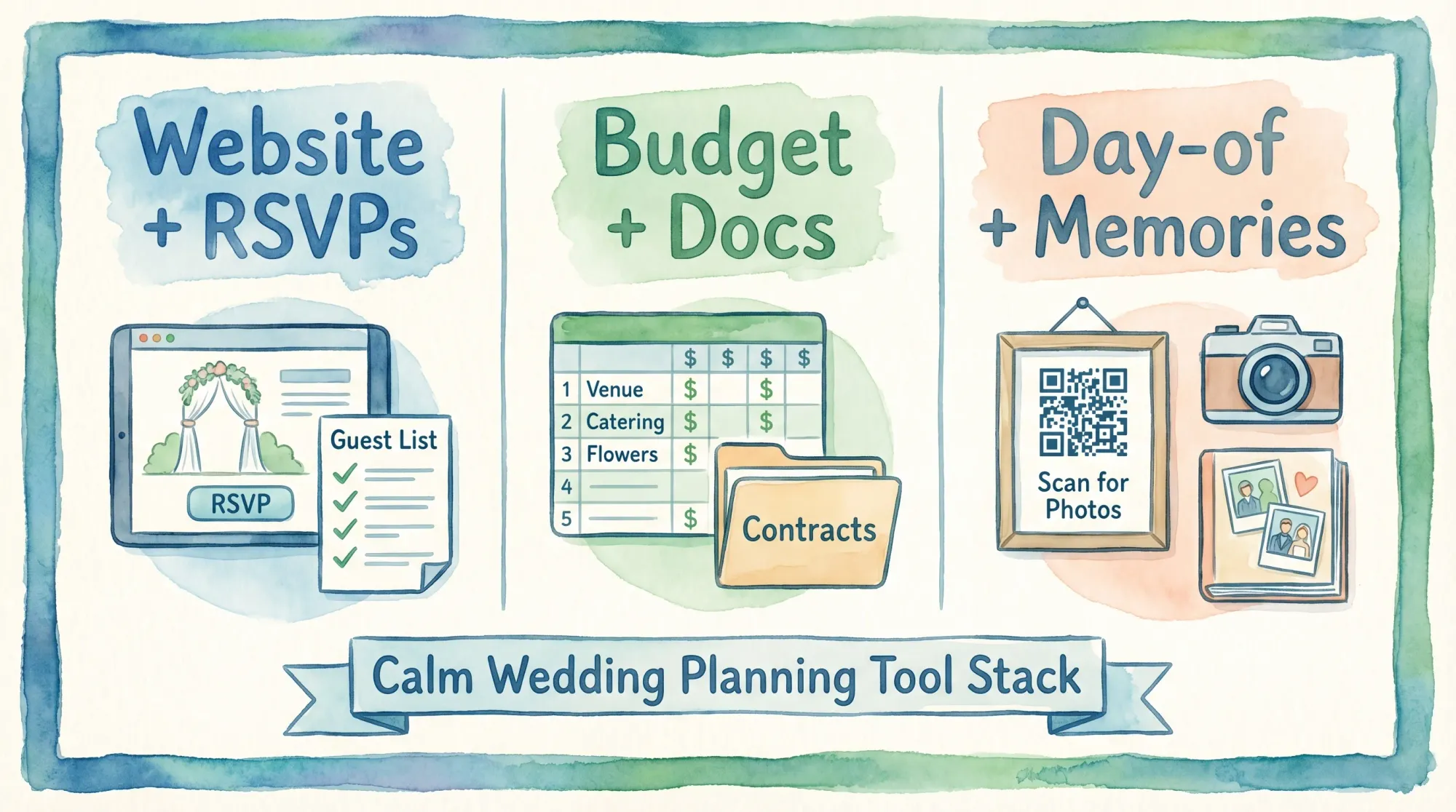
Recommended “free stack” setups (pick one and move on)
Most couples do best with a small stack where each tool has a single job. Here are three proven free setups.
The simple, guest-first stack
Use this if you want the least confusion for guests.
- Wedding website + RSVPs: Joy (or Zola)
- Budget + vendor docs: Google Sheets + Drive
The vendor-heavy stack
Use this if you are actively comparing lots of vendors and want a big marketplace.
- Discovery + checklist: The Knot (or WeddingWire)
- Website + RSVPs: the same platform, if the RSVP flow is clean, otherwise use Joy
- Budget: Google Sheets
The DIY control stack
Use this if you want maximum flexibility and clean exports.
- Planning HQ: Notion (free) or Trello (free)
- Budget + guest list: Google Sheets
- Website + RSVPs: Joy (to keep guests out of your internal tools)
Common mistakes couples make with free wedding planning sites
These are the failure points that create the “we planned a lot, but nothing is decided” feeling.
Mistake 1: Using a vendor marketplace as your only source of truth
Marketplace sites are great for discovery, but you still need a place where you track:
- Your actual signed vendors
- Contract links and payment dates
- A decision log (what you chose, and why)
A spreadsheet plus a shared folder is boring, but it survives real life.
Mistake 2: Letting guests hit a login wall
If guests need to create accounts to RSVP, participation drops and you end up chasing people anyway. Always test the RSVP flow on:
- An iPhone
- An Android phone
- A guest who is not tech confident
Mistake 3: Over-customizing the website instead of finishing decisions
A wedding website is successful if guests can answer four questions in under 30 seconds:
- Where do I go?
- When do I show up?
- What do I wear?
- How do I RSVP (and update my RSVP)?
Anything beyond that is optional.
Mistake 4: Keeping budget “high level” for too long
The fastest way to blow a budget is to track categories without line items. In 2026, vendor pricing is too variable for rough estimates to hold. Your free budget system should support line items for:
- The quote you received
- The deposit you paid
- The remaining balance
- The due date
Don’t forget the part free planning sites rarely solve: collecting guest photos
Even when planning is perfect, couples still end up with photos scattered across text threads, iCloud links, and “I’ll send them later” promises.
A clean approach is to treat photos as a separate “memories layer” that is:
- Frictionless for guests
- Private by default
- Not dependent on guests uploading after the wedding
Revel.cam is built for exactly that workflow. You create a private event gallery (a Moment), then guests scan a QR code or tap an NFC tag to open the camera and upload instantly, no app install and no account required.
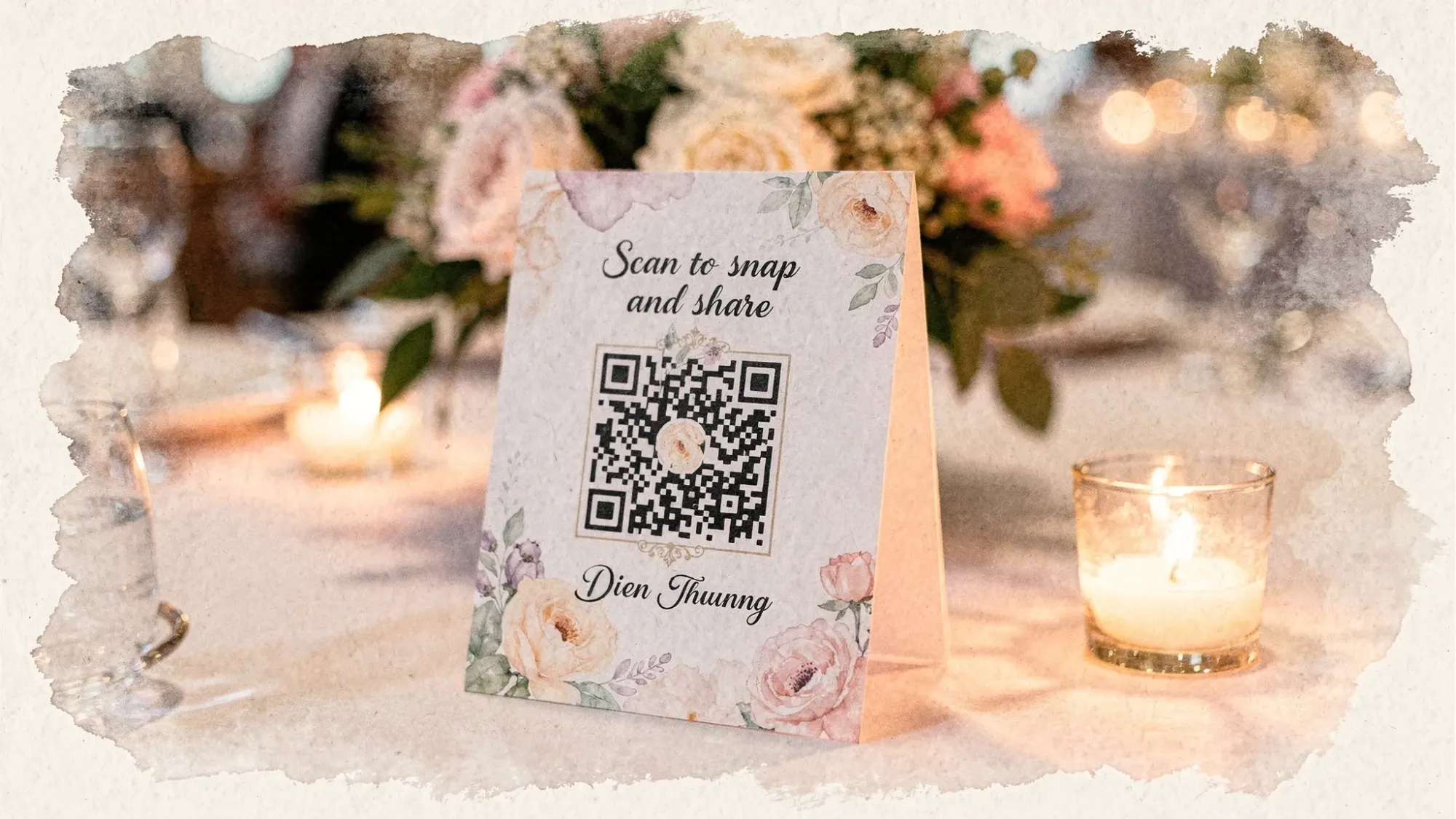
If you want to see what this looks like in practice, Revel has a deeper guide on QR photo sharing made simple.
Frequently Asked Questions
Are wedding planning sites free actually enough to plan a wedding? Yes for most couples, as long as you separate the guest-facing website/RSVPs from your operational system for budget, contracts, and decisions.
Which free wedding planning site is best for RSVPs? The best choice is the one with the lowest friction for your guests. In practice, a clean mobile RSVP flow with no guest accounts matters more than extra features.
Do I need multiple planning sites? Usually no. Pick one guest hub (website + RSVPs), then one internal tool for budget and documents. More tools usually means more mismatched data.
What’s the downside of vendor marketplace planning sites? They’re free because they monetize discovery, which can add noise (emails, upsells, and decision overload). They can still be great, but keep your “source of truth” portable.
How can I collect wedding guest photos without everyone texting me later? Use a camera-first flow during the event, for example a QR code that opens a shared event camera and uploads to one private gallery automatically.
Make your free planning stack complete with a shared photo gallery
Free planning sites can handle the logistics, but your memories deserve a system too. If you want an app-free way to collect everyone’s candid photos into one private gallery, create a Moment on Revel.cam and share it via QR code or NFC.
Start here: Revel.cam

A writer interested in connection, memory, and the everyday moments that matter more than we realize.
Tags: Wedding planning , Wedding planning app , Wedding planning tool , Affordable wedding planning