Wedding Photos: A Simple Plan to Avoid Missing Key Moments

Most couples don’t “miss” wedding photos because nobody took pictures. They miss them because the moments happened in parallel, the timeline ran fast, and the photos ended up scattered across phones, group chats, and half-used shared albums.
A simple plan fixes that. Not a massive shot list, not a new app every guest has to install, not a day that feels like a photoshoot. Just a clear coverage map, a few roles, and one frictionless way to collect guest photos so the small, real moments don’t disappear.
Step 1: Decide what “key moments” actually means for you
Wedding photography advice often assumes every couple wants the same highlights. In reality, “key moments” usually fall into three buckets:
- The must-haves: ceremony, first kiss, first dance, parent dances, speeches, cake, big group formals.
- The micro-moments: reactions, hugs, happy tears, friends reuniting, your grandparents on the dance floor, kids doing kid things.
- The off-timeline story: what happens while you’re somewhere else (cocktail hour candids while you’re taking portraits, afterparty chaos, getting-ready rooms, table moments).
Your photographer will cover the must-haves. The moments that most commonly go missing are the micro-moments and off-timeline story, because they’re happening at the edges or in multiple places at once.
The goal of this plan is not “more photos.” It’s complete coverage of the moments you’ll care about later.
Step 2: Use a 3-layer coverage model (pro + VIP + guests)
If you want to avoid gaps, don’t rely on a single person (even a great photographer). Use three layers that work together.
Layer 1: Your professional photographer (the backbone)
Your photographer is responsible for the core story: ceremony, portraits, key reception events, and consistent quality.
To help them succeed, give them clarity on:
- Your top 10 priorities (not 50).
- Any family dynamics or sensitive groupings.
- The one or two moments that matter most to you (for example, “my dad seeing me before the ceremony” or “the last song of the night”).
Layer 2: VIP “photo roles” (small, specific assignments)
Pick 2 to 4 people who are reliable and comfortable being helpful. They are not “shooters.” They’re coverage helpers.
Good roles are simple and location-based:
- Getting-ready buddy: captures casual prep moments in one room.
- Cocktail hour captain: captures friends, hugs, and mingling while you’re away.
- Afterparty buddy: captures the late-night energy when the formal timeline ends.
This works because it creates redundancy where pros are often pulled elsewhere.
Layer 3: Everyone else (guest candids, automatically collected)
Guests will take photos anyway. The difference between “we got some fun pics” and “we got everything” is whether guests can contribute in the moment, without friction.
The highest participation setups have two traits:
- Guests can join instantly.
- Photos land in one shared place automatically.
That’s where a shared event camera like Revel.cam fits: guests scan a QR code (or tap an NFC tag), take photos, and they upload to the event gallery right away (no app install or account required). On iPhone, Revel.cam can open via an Apple App Clip, which helps remove even more friction.
Step 3: Build a “Moment Map” in one page
You don’t need a giant spreadsheet. You need a simple map that answers: who is responsible for coverage at each point in the day?
Here’s a practical template you can copy into a note and share with your planner, photographer, and VIP helpers.
| Part of the day | Moments people regret missing | Primary coverage | Backup coverage | Notes to make it easier |
|---|---|---|---|---|
| Getting ready | Gift exchange, letter reading, best-friend chaos | Photographer | Getting-ready buddy + guest camera | Keep the room uncluttered near a window if possible |
| Pre-ceremony | Parent reactions, guests arriving, details before they get touched | Photographer | Guest camera | Put a QR code at the welcome sign |
| Ceremony | Processional reactions, vows, first kiss | Photographer | Guest camera (from seats) | Consider an “unplugged” note, but still allow guest camera access |
| Post-ceremony | Congratulations line, hugs, happy tears | Photographer | Cocktail hour captain + guest camera | These happen fast, guests are in the perfect position |
| Cocktail hour | Friends reuniting, candid group pics | Photographer (limited) | Cocktail hour captain + guest camera | You will likely be doing portraits here |
| Reception entrances | Real reactions, spontaneous dances | Photographer | Guest camera | Place QR at bar and tables |
| Speeches | Crowd reactions, head-table candids | Photographer | Guest camera | Assign one VIP to sit with a good angle |
| Dance floor | Peak energy, funny moments, late-night groups | Photographer (time-limited) | Afterparty buddy + guest camera | This is where phones shine, if sharing is effortless |
| Afterparty | The stuff you cannot stage | No guarantee | Afterparty buddy + guest camera | Set an event end time so it doesn’t drift into the next day |
This table does one important thing: it turns “hope we got it” into planned redundancy.
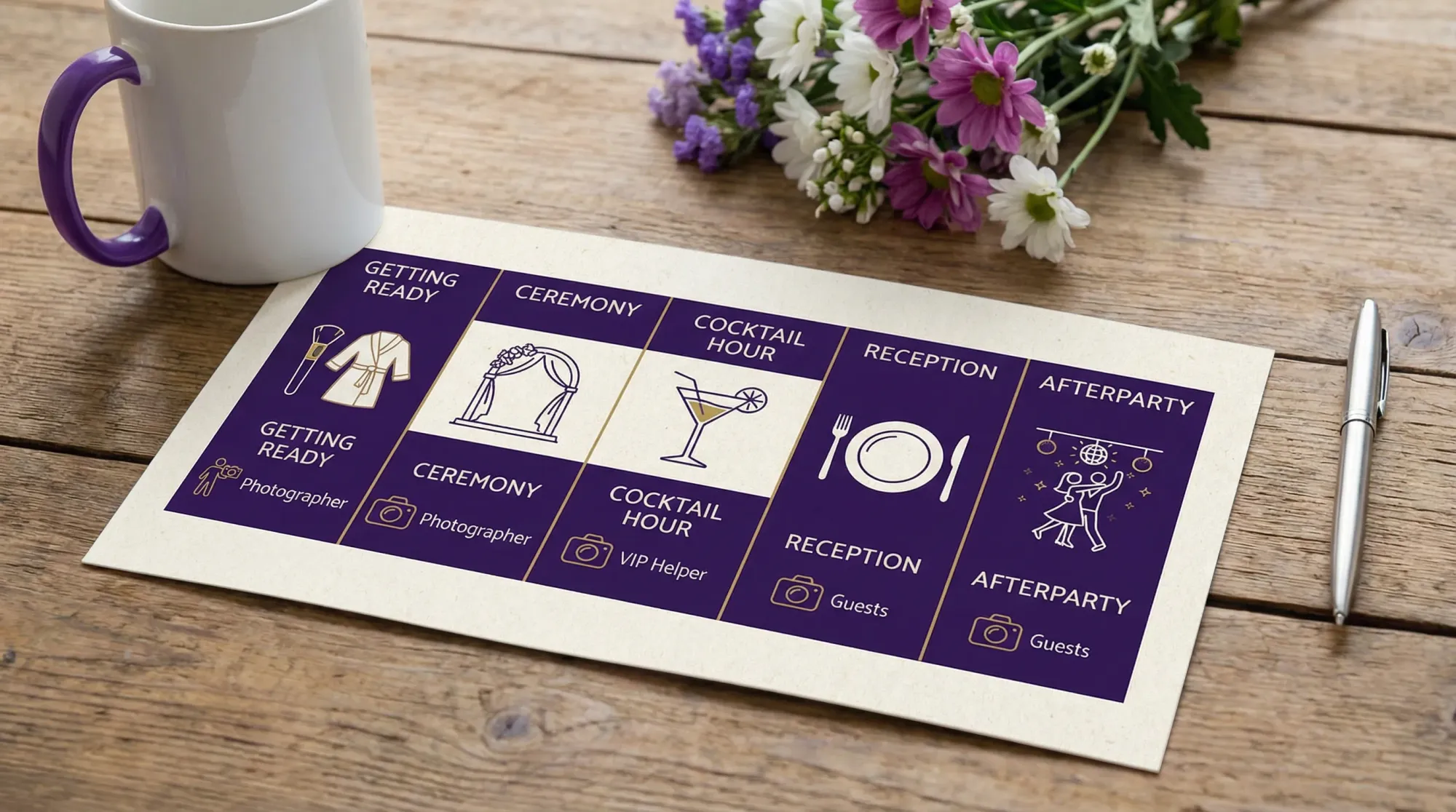
Step 4: Protect time for photos without turning the day into a photo shoot
The biggest threat to “key moments” is not camera quality. It’s a timeline with no air.
A few timeline rules that consistently reduce missed photos:
Build buffers around transitions
Transitions are where moments happen (and where schedules slip). Add a little breathing room around:
- Ceremony end to receiving line.
- Room flip between cocktail hour and reception.
- Sunset portraits.
When you have buffer, you get more real reactions and fewer rushed photos.
Decide where you want candids most
If you want the most candid coverage, you need time spent in public spaces.
For example:
- If you do all portraits during cocktail hour, you will miss cocktail hour.
- If you do some portraits earlier, you can spend 10 to 15 minutes actually mingling.
That one decision changes the photo story.
Keep family formals efficient
Family formals are important, but they can quietly consume the best light and your guests’ best energy.
Use a short “must-have” list and designate a wrangler who knows who is who. (If you want a streamlined approach, Revel has a dedicated guide on group wedding photos that don’t take forever.)
Step 5: Make guest photos effortless (or they won’t happen)
Most guest photo “plans” fail for one of three reasons:
- The sharing step happens after the wedding (so it never happens).
- It requires an app, an account, or a login (so many guests opt out).
- Photos go into a chaotic channel (so the good ones get buried).
A better approach is capture-first:
- Guests scan a QR code.
- The camera opens immediately.
- Each photo uploads to the wedding gallery automatically.
With Revel.cam, you can create a wedding “Moment,” set guest limits and a clear end time, and optionally review photos before you share the full gallery. That “host control” matters for weddings because you may want a clean gallery before sending it to everyone.
If you want the deeper setup mechanics and placement ideas, the most complete walkthrough is QR photo: the complete guide to collecting wedding photos from guests. This article stays focused on the simplest plan to avoid missing moments.
Add light guardrails that improve quality
Guest photos get better when the expectations are clear, and when there’s a little structure.
Two guardrails that work especially well:
- Per-guest photo limits: encourages intentional shots and reduces duplicates (this is also how you can recreate a disposable-camera vibe without the film logistics).
- A defined end time: keeps the gallery focused on the wedding, not the next morning.
Revel.cam supports both, so you can keep the gallery tighter and more story-like.
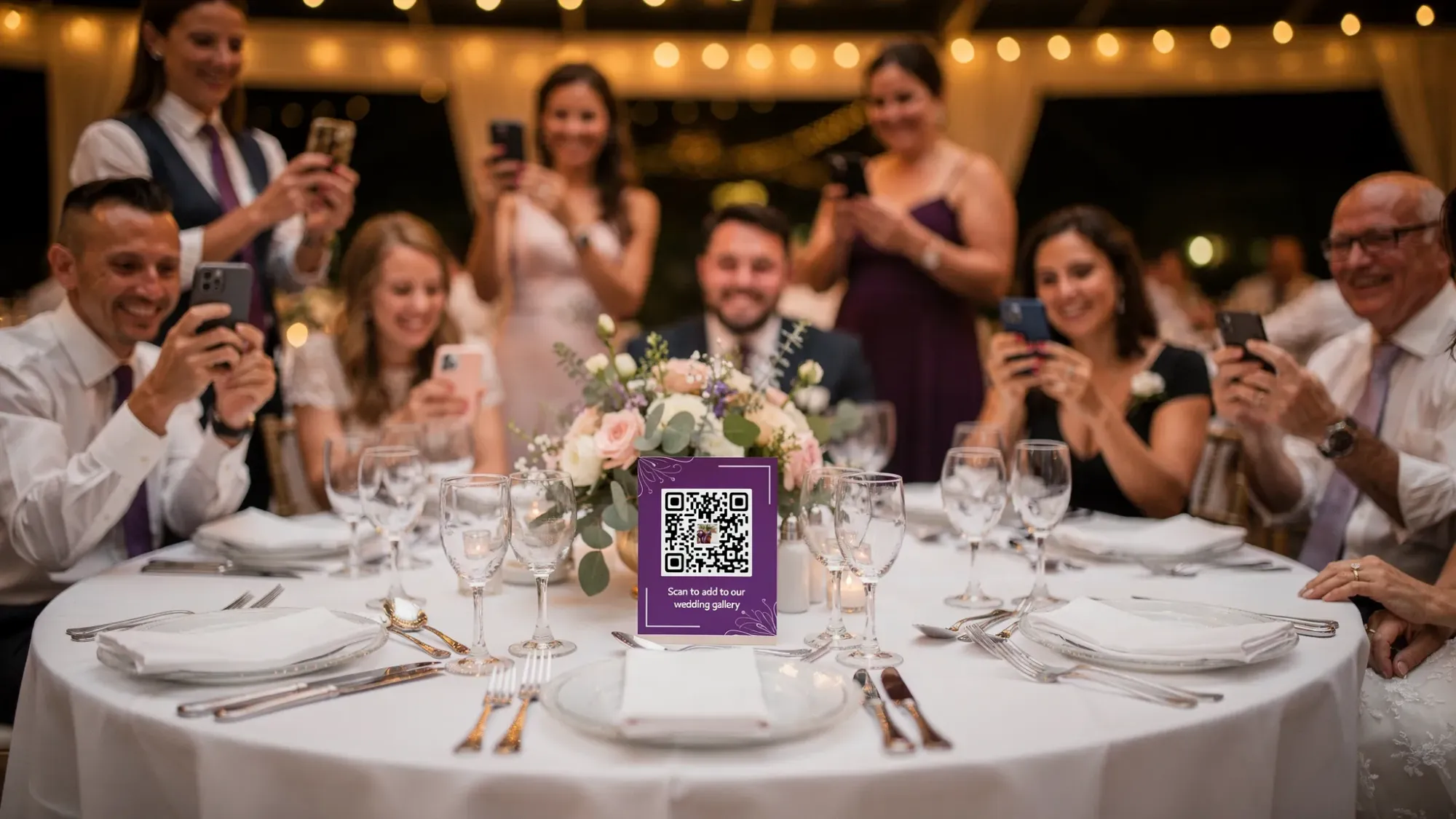
Step 6: Place “join points” where guests naturally pause
You do not need QR codes everywhere. You need them in the places where guests have 5 seconds and a free hand.
Strong placements include:
- Welcome sign (arrival behavior)
- Bar (waiting behavior)
- Dinner tables (seated behavior)
- Near the guestbook or card box (already an interaction zone)
If you’re using NFC tags as well, they shine in high-touch zones (for example, at the bar or on a small sign near the dance floor) because a tap can be faster than a scan.
Step 7: Plan your “gallery reveal” like it’s part of the wedding
A surprising number of couples never share guest photos because the collection method created work after the wedding.
Instead, decide this in advance:
- When the Moment ends (end of reception, end of afterparty, or next morning).
- Whether guests can see photos immediately or if you want a delayed reveal.
- Who gets the full gallery link (everyone, or only after you’ve reviewed and removed a few).
That reveal becomes part of the experience. It also reduces the “can you send me that?” follow-ups, because there’s one known place where the story lives.
(If the reveal concept is new, Revel goes deeper on why it matters in why every wedding planning app needs a gallery reveal moment.)
Step 8: Don’t skip the boring backups (they prevent 90% of problems)
A simple plan still needs a few safety checks.
Connectivity and power
If your venue has weak reception, ask about Wi‑Fi access for guests, especially in barns, remote estates, and older buildings. Also consider a small charging station basket in a common area.
Print a backup link
Even with great QR placement, one guest will say “my camera won’t scan.” A short link printed under the QR code turns that into a non-issue.
Assign ownership
Pick one person (planner, coordinator, sibling, or friend) to own the guest-photo setup so you are not troubleshooting anything.
If you want a more detailed operational checklist, Revel has a guest photo collection plan with a timeline you can hand to whoever is running point.
Putting it all together: the simplest plan that works
If you only do five things, do these:
- Define your top moments (the real ones, not the generic list).
- Map the day into a one-page Moment Map with primary and backup coverage.
- Assign 2 to 4 VIP helpers to cover the parallel parts of the day.
- Use one frictionless guest photo system that uploads automatically.
- Decide your end time and reveal plan in advance.
That’s how you avoid missing key moments without turning your wedding into a production.
If you want the easiest way to collect wedding photos from guests while the day is happening, you can create a Moment on Revel.cam and share it via QR code, NFC, or link. Guests join instantly, take photos, and everything lands in one private gallery you control.

A writer interested in connection, memory, and the everyday moments that matter more than we realize.
Tags: Wedding photography , Wedding photos , Wedding photo sharing , Wedding photo gallery , DYI wedding photography