Wedding Photo Inspiration: Build a Shot Moodboard Fast
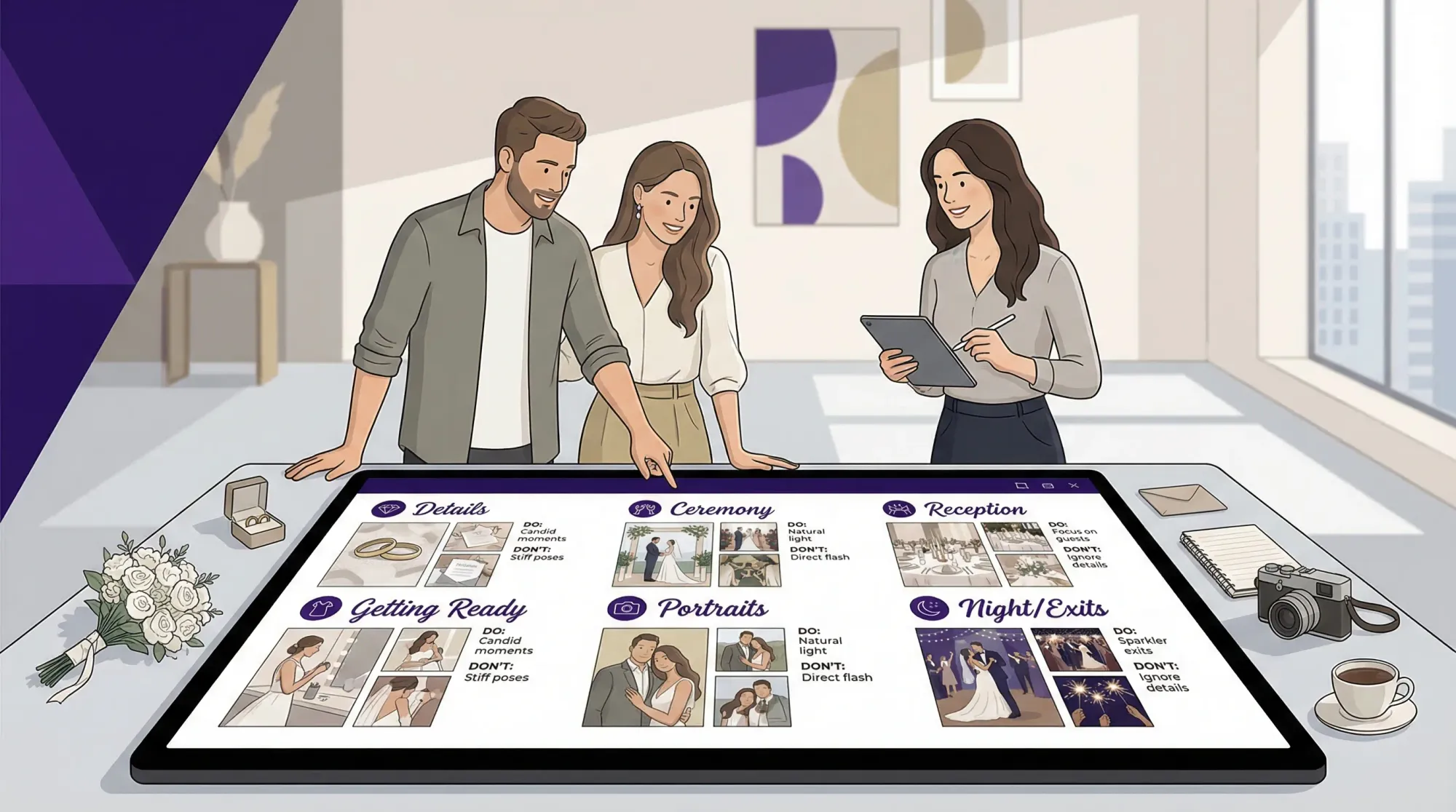
Most couples don’t struggle to find wedding photo inspiration. They struggle to turn 200 saved images into something a photographer can actually use.
A fast “shot moodboard” solves that. It’s a small, practical collection of example photos that communicates your priorities, your vibe, and your non-negotiables, without turning into a 12-page shot list that nobody reads on the wedding day.
Below is a simple, repeatable way to build a shot moodboard in under an hour, plus a structure you can send to your photographer (and actually get better, more consistent results).
What a “shot moodboard” is (and what it isn’t)
A shot moodboard is a visual brief for your wedding photos. It answers questions like:
- What should the photos feel like (editorial, documentary, playful, cinematic, candid)?
- What moments matter most to you (getting ready, ceremony reactions, dance floor chaos, quiet portraits)?
- What lighting and environments do you love (golden hour, flash at night, indoor window light)?
- What do you not want (heavy orange presets, stiff posing, overly bright blown highlights)?
A shot moodboard is not:
- A replacement for a photographer’s style and expertise
- A guarantee that every pose or location is possible at your venue
- A minute-by-minute shot list (those tend to create stress and slow everything down)
If you want a simple plan to make sure key moments don’t get missed, pair this moodboard with a lightweight coverage plan like the “Moment Map” approach in Wedding Photos: A Simple Plan to Avoid Missing Key Moments.
The fastest way to build a shot moodboard (45 minutes)
The goal is to create a moodboard your photographer can scan in two minutes and immediately understand.
Step 1: Pick your 3 photo priorities (5 minutes)
Write down three outcomes you care about most. Examples:
- “Candid reactions and guest energy, not staged posing.”
- “Romantic portraits with soft light, minimal background clutter.”
- “Reception photos that feel like a movie, flash, motion, laughter.”
These priorities keep your moodboard focused. They also help your photographer make smart tradeoffs when timeline, weather, or lighting changes.
Step 2: Collect 20 to 30 reference images (15 minutes)
Use 2 to 3 sources, not ten. Most people do best with:
- Pinterest (broad discovery)
- Instagram (real weddings, current trends)
- A photographer’s blog galleries (most realistic)
If you’re starting from Pinterest chaos, you might like this companion guide: Wedding Inspo: How to Turn Pinterest Saves Into a Real Plan. This article is more photo-specific and faster.
Search phrases that usually pull better results (because they describe lighting + feeling, not just “wedding”):
- “documentary wedding photos indoor ceremony”
- “direct flash wedding reception”
- “editorial bridal portraits minimal”
- “candid cocktail hour photos”
- “rainy wedding portraits”
- “family formals modern posing”
Step 3: Sort your images into 6 buckets (10 minutes)
Don’t sort by “pretty.” Sort by when and how they’ll be created.
Use these buckets (they map cleanly to a wedding day):
- Details (invites, rings, attire, florals, tables)
- Getting ready (people, space, emotions)
- Ceremony (processional, reactions, wide establishing shots)
- Portraits (couple, wedding party, immediate family)
- Reception (entrances, toasts, dances, party)
- Night and exits (flash, sparklers, city lights, afterparty)
A moodboard gets dramatically more useful when it’s tied to the timeline.
Step 4: Add “DO / DON’T” notes (10 minutes)
For each bucket, add one short DO note and one DON’T note. Keep it direct.
Examples:
-
DO: “Wide shots that show the space and guests.”
-
DON’T: “Extreme wide-angle distortion during portraits.”
-
DO: “Direct flash on dance floor, motion blur welcome.”
-
DON’T: “Super dark images where faces are hard to see.”
-
DO: “Natural skin tones, true-to-life greens.”
-
DON’T: “Heavy orange filters or overly matte blacks.”
This is often more helpful than adding another 40 photos.
Step 5: Pick 5 “non-negotiable moments” (5 minutes)
Choose five moments you’d be genuinely sad to miss. Not 50.
If you want inspiration for which moments to pick, use prompts like:
- A relationship moment (first look with a parent, private vows, post-ceremony breather)
- A people moment (grandparents, siblings, chosen family)
- A room moment (first time you see the reception space)
- An energy moment (hands in the air, wild dance circle, epic toast reaction)
- A quiet moment (a small touch, laughter, a pause)
If group photos are a stress point, keep them efficient with Group Wedding Photos: A Shot List That Doesn’t Take Forever.
A simple moodboard structure photographers actually like
Different photographers prefer different formats, but most respond well to a single page with clear sections.
Here’s a structure that tends to work with minimal back-and-forth.
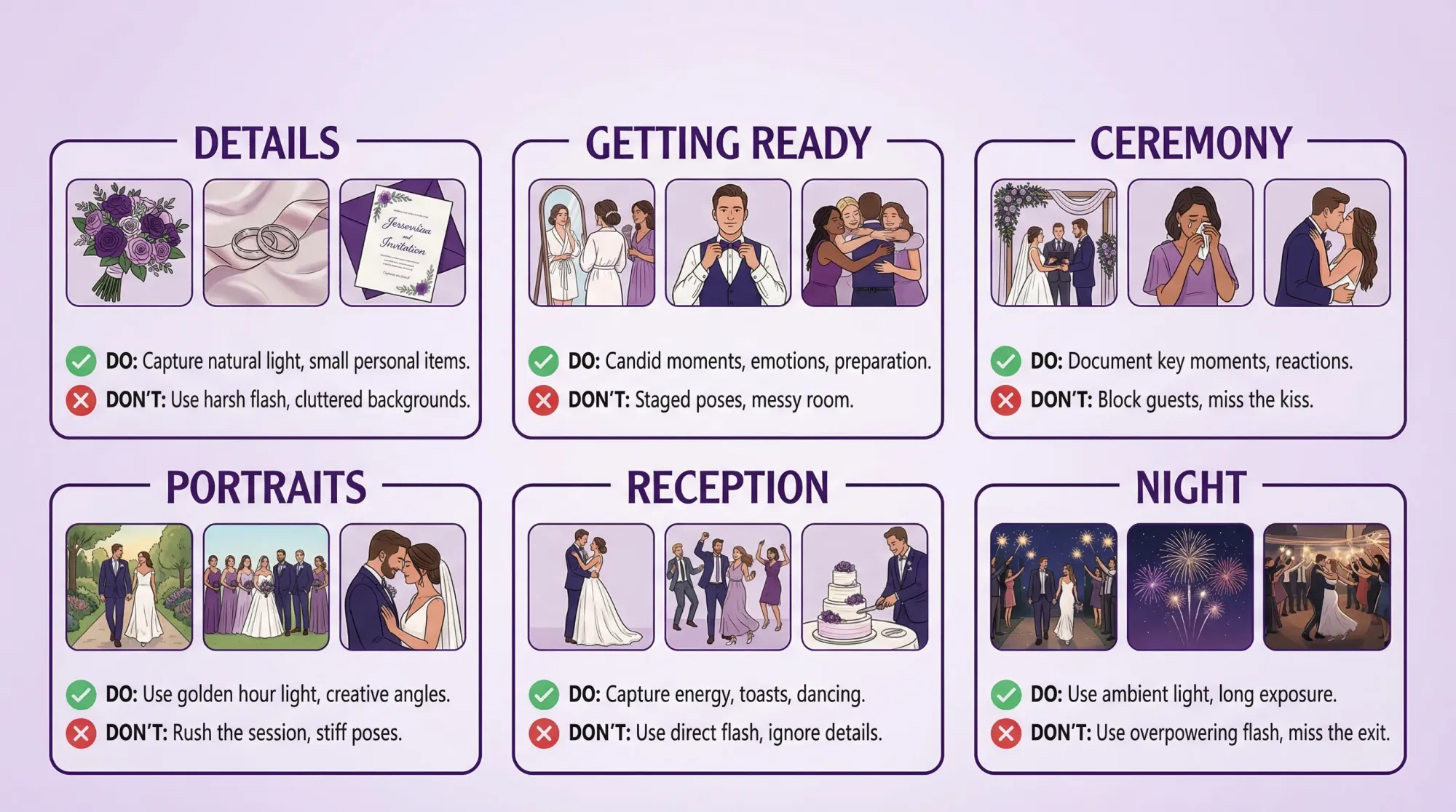
What to include (and keep it tight)
- 3 to 5 images per bucket (so 18 to 30 total)
- 1 to 2 DO / DON’T notes per bucket
- Your 3 priorities at the top
- A short “non-negotiables” line at the bottom
Best tools for building it fast
Pick what you’ll actually use, not what looks fancy.
- Google Slides or PowerPoint: fastest for drag-and-drop, easy to share
- Canva: easy templates and exports
- Milanote: great for visual boards and notes
Any of these work as long as the final result is easy to view on a phone.
Make your inspiration “real” with a 2-minute feasibility check
The most common moodboard problem is copying a photo created in totally different conditions.
Use this quick check so your references translate to your actual day.
| Moodboard element | What to verify | Why it matters |
|---|---|---|
| Lighting | Was it golden hour, indoor window light, or flash? | Lighting drives the entire look more than decor does. |
| Space | Is your venue bright and open, or dark and tight? | Tight spaces change lens choice, angles, and posing. |
| Timeline | When would you realistically shoot that look? | “Sunset portraits” don’t happen if dinner starts at 6:00. |
| Season | Are you referencing a summer look for a winter wedding? | Skin tones, greenery, and outdoor comfort all change. |
| Guest count | Is your wedding 45 guests or 245? | Crowd density affects candid energy and backgrounds. |
| Coverage | Do you have one photographer or a team? | More moments can be covered simultaneously with more coverage. |
If you’re still choosing a photographer, it’s worth reading Wedding Photographers Near Me: How to Compare Packages so you can match your expectations to what’s included.
Turn wedding photo inspiration into a “shot recipe” (so it’s repeatable)
To make an inspired photo happen, you usually need four inputs:
- Place (background, clutter level)
- Light (window, shade, sunset, flash)
- People (who, how many, what they’re doing)
- Cue (what the photographer says or waits for)
Use this table to translate your favorite images into actions.
| Photo you love | Place | Light | People | Cue |
|---|---|---|---|---|
| Champagne pop with wedding party | Open area near venue entrance | Bright shade | 8–16 people | “On 3, aim away from faces, then cheer.” |
| Candid hugs after ceremony | End of aisle, clear path | Natural daylight | Couple + immediate family | “Pause 10 seconds after recessional, hug anyone who comes.” |
| Direct-flash dance floor chaos | Center of dance floor | Flash | Groups of 2–6 | “Get close, move with them, shoot on the beat.” |
| Quiet couple portrait | Simple wall or greenery | Soft side light | Couple only | “Walk slowly, talk to each other, don’t look at camera.” |
You don’t need to fill this out for everything. Do it for your top 5.
How to share the moodboard with your photographer (copy-paste message)
Send your board early enough to influence planning, not the night before.
A good window is after you’ve booked your venue and have a rough timeline, often 2 to 3 months out. Then revisit it 2 to 3 weeks before.
Here’s a simple message that’s clear without being controlling:
Subject: Wedding photo moodboard + our top priorities
Hi [Name],
We put together a one-page shot moodboard to communicate the overall vibe we love. Our top 3 priorities are:
- [Priority 1]
- [Priority 2]
- [Priority 3]
A few non-negotiable moments for us:
- [Moment 1]
- [Moment 2]
- [Moment 3]
- [Moment 4]
- [Moment 5]
Here’s the link/PDF: [link]
Would you like us to adjust anything to better fit our venue and timeline? Happy to take your lead on what’s realistic.
Thank you!
[Your names]
That last line invites expertise and usually gets you a better response.
Don’t forget the photos your photographer can’t be in two places to capture
Even with amazing coverage, there are always parallel moments:
- Your friends laughing at cocktail hour while you’re taking portraits
- A grandparent reaction you didn’t see
- The table you never sat at
- The afterparty you didn’t plan to document
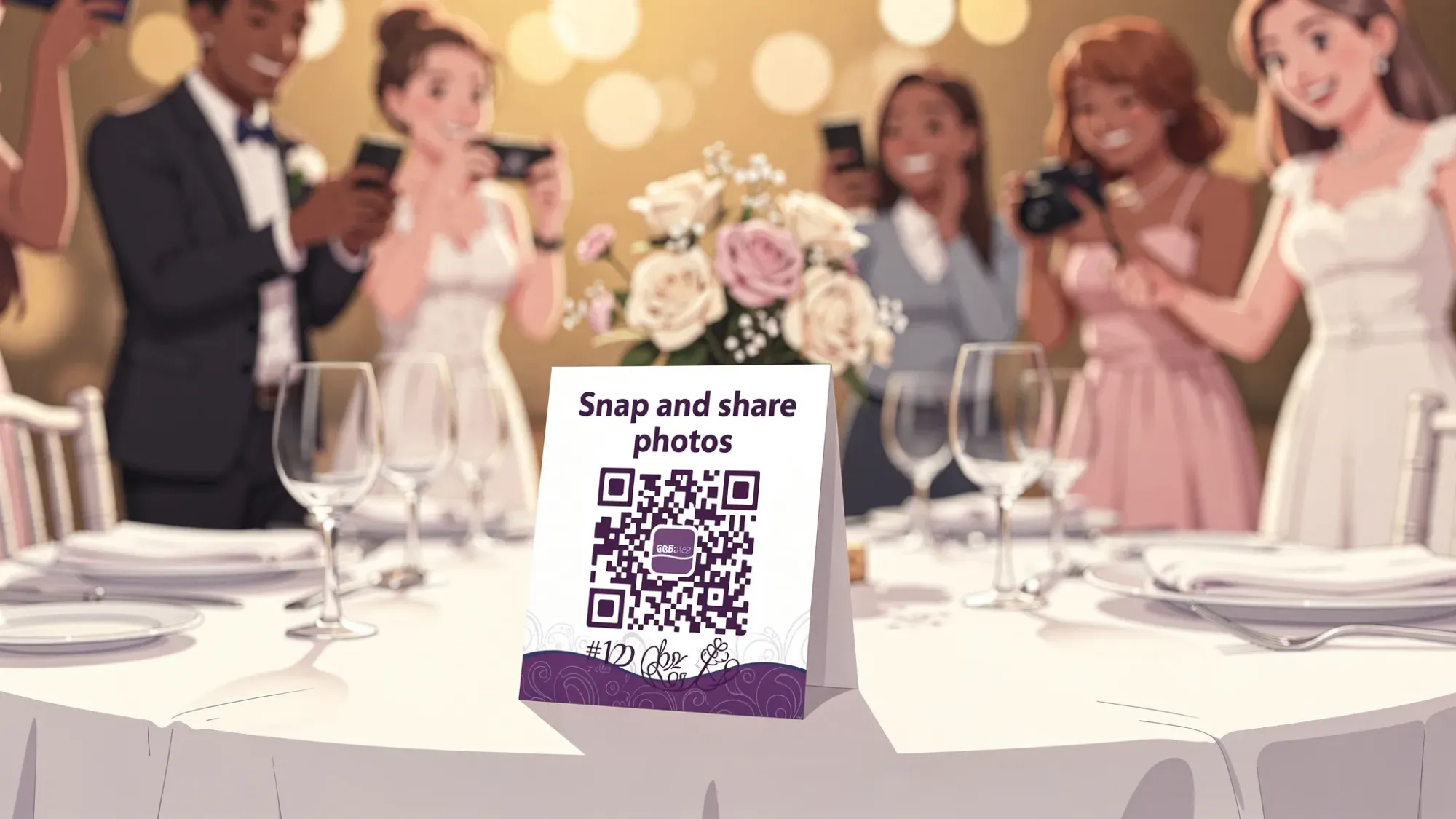
That’s why many couples add a guest-photo layer that collects candid perspectives into one place.
If you want the lowest-friction option, Revel.cam creates a private event “Moment” where guests can scan a QR code (or tap an NFC tag) to open the camera and upload instantly, with no app install or signup required. Hosts can set photo limits, set an end time, and review photos before sharing the gallery.
For the full guest-photo workflow, see Wedding Guest Photos: The Best Way to Collect Them Fast.
Common mistakes to avoid (so your moodboard stays helpful)
Mistake: making it too big
If your board needs scrolling for five minutes, it stops being a tool. Keep it to one page or one short PDF.
Mistake: choosing photos you love, but don’t want repeated
Sometimes people save a photo because it’s striking, but they don’t want that vibe for themselves (for example, heavy blur, extreme angles, very dark edits). Use DON’T notes to protect your preferences.
Mistake: ignoring lighting realities
If your ceremony is indoors and dim, “bright airy ceremony” inspiration needs a plan (lighting approach, placement, or adjusted expectations). A moodboard is the start of that conversation.
Mistake: turning inspiration into pressure
Reference photos are a direction, not a checklist. The best wedding photos happen when your photographer can respond to real moments.
Frequently Asked Questions
How many photos should a wedding shot moodboard include? 20 to 30 images is usually plenty. Aim for 3 to 5 examples per moment bucket (ceremony, portraits, reception, etc.) so it stays readable.
What’s the difference between a moodboard and a shot list? A moodboard communicates style, lighting, and emotional tone using visual examples. A shot list is a checklist of specific photos to capture. Most couples need a small moodboard plus a very short list of non-negotiable moments.
When should I send my moodboard to my photographer? Share it once you have your venue and a rough timeline, often 2 to 3 months before the wedding, then revisit it 2 to 3 weeks before to confirm priorities.
Can I use Pinterest as my moodboard? You can, but photographers usually prefer a distilled version. Export your top references into one page (Slides, Canva, or a PDF) and add short DO / DON’T notes so it’s actionable.
How do I make sure we still get candid photos, not just posed ones? Put “candid coverage” in your top 3 priorities and include candid references in each bucket. You can also add a guest-photo layer so spontaneous moments get captured from multiple perspectives.
Capture the candid moments your moodboard can’t plan
Your shot moodboard sets the direction, but some of the best wedding images are the ones you never could have predicted.
If you want guests to help capture those moments without chasing people for uploads later, create a private Revel.cam Moment. Guests scan a QR code or tap an NFC tag to snap and upload instantly, no app, no accounts, and no post-wedding group chat chaos.
Create your Moment at Revel.cam.

A writer interested in connection, memory, and the everyday moments that matter more than we realize.
Tags: Wedding photography , DYI wedding photography , Group wedding photos , Wedding photo gallery , Wedding photography costs , Wedding photos , Wedding photo sharing