Revel App: What It Is and How It Works for Events
If you have ever hosted an event, you know the photo problem is not really “taking pictures.” It is collecting them.
People snap great moments on their own phones, then they forget to send them, send them in five different group chats, AirDrop a few, upload some low quality versions, and the rest disappear. The result is a scattered, incomplete story.
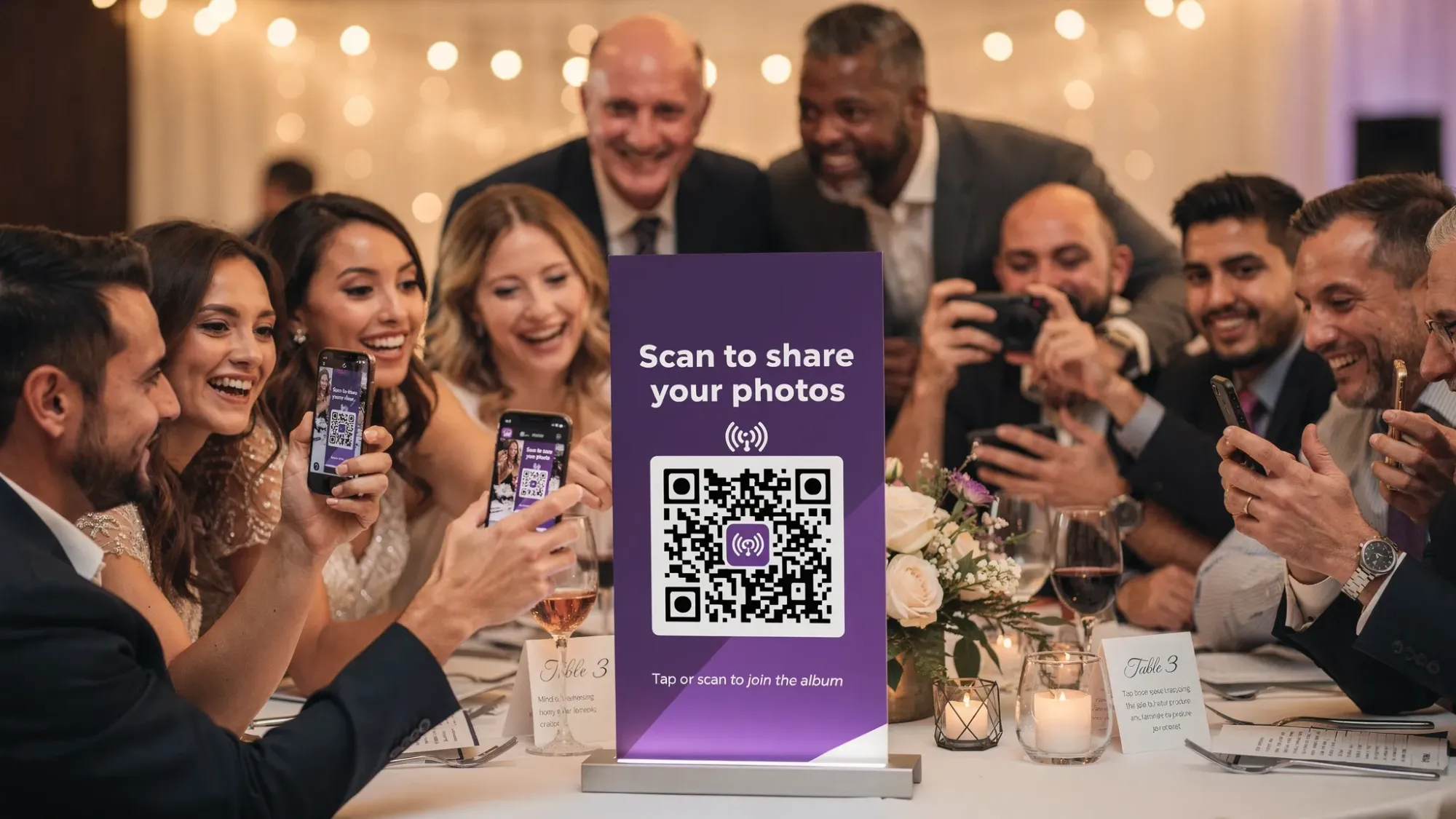
That is what the Revel app (Revel.cam) is built to fix. It turns your event into a shared camera that guests can join instantly via QR code, NFC tag, or link, so every photo lands in one private event gallery automatically.
What is the Revel app?
Revel.cam is an event photo sharing experience designed around one simple idea: guests should be able to contribute photos in seconds, without creating an account or downloading an app.
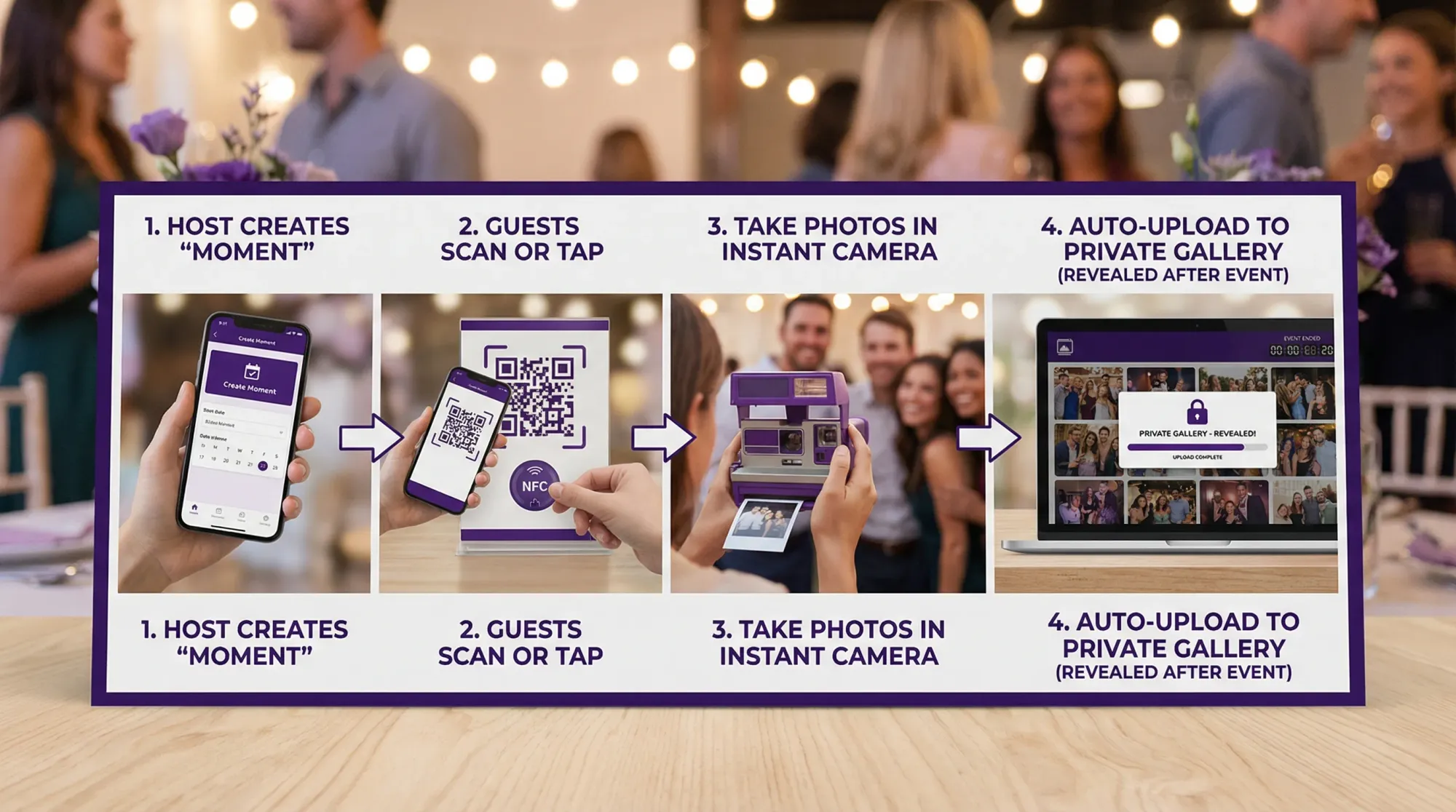
Instead of asking people to upload to a folder later, you (the host) create a private event inside Revel called a Moment. Then you share the Moment invite around the venue.
Guests scan a QR code (or tap an NFC tag) and go straight into the camera. Every photo they take uploads into your Moment automatically.
The key terms (in plain English)
- Moment: Your event inside Revel.cam (for example: “Sam + Jordan Wedding” or “Q1 Sales Kickoff”).
- Invite: The way guests join (QR code, NFC tag, or link).
- Gallery reveal: When the Moment ends, the gallery is revealed to you, and optionally to guests.
- Host controls: You can set guest limits, photo limits per guest, an end time, and review or remove shots.
How the Revel app works (host view vs guest view)
Revel is intentionally designed so the “how” is different depending on who you are.
Guest experience: scan, snap, done
From a guest’s perspective, Revel is meant to feel almost effortless:
- They scan a QR code or tap an NFC tag.
- The camera opens immediately.
- They take a photo.
- The photo uploads automatically to the event.
On iPhone, Revel.cam can open as an App Clip, which is Apple’s lightweight app experience designed for quick tasks without a full download. (Apple overview: App Clips.)
Host experience: set the guardrails once
As the host, you do a few setup choices up front, then Revel handles the messy middle.
You create a Moment and choose:
- Event name
- How many guests can join
- How many photos each guest can take
- When the Moment ends
Then Revel generates an invite you can put on signage, print on table cards, add to badges, or text to a group.
What you can control in the Revel app (and why it matters)
Most photo sharing tools fail at events because they are missing “event rules.” Revel bakes those rules into the Moment.
Here is what you can set, and what each control helps with:
| Host control | What it does | Why it matters at events |
|---|---|---|
| Guest limit | Caps how many people can join | Keeps the Moment scoped to your invite list and prevents random joins if a code travels |
| Photo limit per guest | Limits how many photos each guest can take | Encourages intentional photos and helps reduce noisy duplicates |
| End time | Automatically stops uploads when the Moment ends | Prevents late, off-topic, or next-day uploads from cluttering the story |
| Review/moderation | Lets the host review and remove unwanted images | Adds peace of mind for weddings and brand-safe corporate events |
| Private gallery | Moment is private by default | Keeps the gallery event-only, not a public social feed |
This combination is what makes Revel feel less like “another photo app” and more like a simple event system.
A walkthrough: using the Revel app at a real event
To make the flow concrete, here is how Revel typically gets used in three phases.
Before the event: create your Moment
Most hosts do this in minutes:
- Create your Moment.
- Pick your guest limit and per-guest photo limit.
- Pick an end time that matches your event (for example, end after the afterparty, or end at the end of the conference day).
- Generate your QR code or prep NFC.
If you want a deeper, wedding-specific placement plan (signage, table tents, scripts, etc.), Revel has a full guide: QR photo: The Complete Guide to Collecting Wedding Photos From Guests.
During the event: make joining obvious
The best Revel Moments feel like part of the event, not a side quest.
A simple rule: make the QR code unavoidable and the instruction one sentence.
Good examples of one-sentence prompts:
- “Scan to add your photos to the night.”
- “Tap, snap, and it uploads instantly.”
- “Add 10 photos to our shared gallery.”
If you are deciding where to place codes, a broader set of placement ideas lives here: Party QR Code Ideas to Collect Photos From Every Guest.
After the event: review, curate, and share
Once your Moment ends, you get a clean handoff point:
- Review the gallery (remove anything you do not want included).
- Share the final gallery (to guests, your team, or stakeholders).
This “ending” is not just a nice touch, it prevents the typical slow drip of unrelated uploads that can ruin a gallery’s timeline.
When to use the Revel app (best-fit event types)
Revel works anywhere lots of people take photos, but it shines most when the event is fast-moving and the guest list is mixed (different ages, different tech comfort levels, different levels of closeness).
Weddings and wedding weekends
Why it fits:
- Guests already have phones out.
- You want candids you will never see from the couple’s perspective.
- You want to avoid chasing photos for weeks.
Common setup approach:
- Use a per-guest limit to keep photos intentional.
- End the Moment after the afterparty (or at a planned cutoff).
- Reveal the gallery the next day, or after you have reviewed it.
If your goal is specifically “one complete wedding photo story,” this article goes deeper on the gallery outcome: The Ultimate Wedding Photo Gallery: How to Collect Every Guest’s Photos in One Place.
Corporate events and conferences
Why it fits:
- You want internal photos without relying on everyone to upload.
- You may need brand safety and moderation.
- You want a single place to pull highlights for recaps.
Common setup approach:
- Use moderation if you need tighter control.
- Set a clear end time (end of day, end of session, end of activation).
For privacy and brand-safety thinking, this guide is the dedicated playbook: QR Photo for Corporate Events: How to Keep It Private and Brand-Safe.
Birthdays, house parties, and group trips
Why it fits:
- People take fun photos, but almost none of them get shared later.
- You want casual, candid coverage without a photographer.
Common setup approach:
- Keep the limit light enough that people do not overthink.
- Put the QR code where people naturally pause (entry, bar, kitchen counter).
A party-specific overview is here: Party Photos: The Easiest Way to Collect Everyone’s Shots.
Revel app vs common alternatives (what changes in practice)
People often search “Revel app” because they are evaluating options and want to know if it is just another shared album.
The practical difference is that Revel is capture-first.
Shared iCloud or Google albums
Shared albums can work for small groups who already know each other well, but they often break down at larger events because:
- Guests have to switch context from “taking photos” to “uploading photos.”
- Uploading usually happens later, which means it often does not happen.
- Not everyone wants to join a shared album with their personal account.
Revel’s approach is designed to reduce those failure points by making contribution happen in the moment.
If you want a detailed comparison, this post dives into participation differences: Film Roll App vs Shared iCloud/Google Album: Which Gets More Guest Photos?.
Group chats
Chats are easy, but they are not galleries:
- Photos get buried.
- People self-censor (or overshare).
- You lose the “one event timeline” feeling.
If that is your current pain, this article explains the swap: QR Code Photo Uploads: A Better Alternative to Group Chats.
Getting better results: participation, photo quality, and fewer headaches
Revel reduces friction, but event conditions still matter. These are the highest impact tweaks that keep the experience smooth.
Make scanning fast and reliable
A QR code only works if it scans quickly in real-world lighting.
- Use high contrast and avoid glossy glare.
- Print large enough that guests do not need to lean in.
- Test on multiple phones before the event.
If you are choosing physical materials (cards, stickers, acrylic signs), this is the practical guide: QR Tags: How to Choose Materials That Scan Fast.
Plan for connectivity
Any instant upload system depends on a working connection.
A simple best practice is to:
- Place join points where reception is usually better (near windows, away from thick concrete rooms).
- Consider posting the QR in more than one area, so guests are not stuck in a dead zone.
Use limits to improve the gallery (not just to restrict)
Hosts sometimes think photo limits are only about control. In practice, limits usually improve outcomes:
- Guests take fewer, better photos.
- You get more variety because people pause and look for moments.
- The final gallery is easier to review and share.
If you like the “disposable camera” vibe, Revel’s limit feature is designed for that feel, without the developing costs.
Is Revel an “app” if there is no download?
In everyday conversation, people call any camera-like experience an “app,” even if it opens from a QR code.
The important point is the behavior:
- Guests do not need to hunt for an App Store listing.
- Guests do not need to remember a password.
- The event does not depend on everyone setting up the same tool ahead of time.
That is why the Revel app tends to get higher participation at real events: it meets guests where they already are, on their phone camera, in the moment.

If you want to try the Revel app for your next event
If your goal is “one gallery, one story,” Revel is built to do that with minimal setup and maximum guest participation.
Create a Moment, share the QR code (or NFC tag), and let guests capture the day as it actually happens.
You can get started at Revel.cam.

A writer interested in connection, memory, and the everyday moments that matter more than we realize.
Tags: Corporate events , Event photo collection , Event photography , Event photo sharing , Shared event photos