QR Tags: How to Choose Materials That Scan Fast

If your QR tag makes guests pause, squint, or fight glare, you lose the moment. At weddings, conferences, and parties, fast scanning is the difference between “everyone contributed” and “we got a handful of photos.” The good news is that scan speed is often a materials problem, not a “people problem.”
This guide breaks down which QR tag materials scan fastest in real event conditions (dim light, moving crowds, curved surfaces, spilled drinks), and how to choose a material that stays scannable from setup to last call.
What “scan fast” actually means (and why materials matter)
A phone camera scans a QR code quickly when it can do three things immediately:
- Find the code (it stands out from the background).
- Focus on crisp edges (the code is sharp, not smeared or textured).
- Read it without glare (no bright reflections washing out modules).
Materials affect all three. A code printed perfectly can still scan poorly if it is covered with glossy laminate, mounted on a curved surface, or printed on textured paper that breaks edge definition.
If you want the technical baseline, QR Code is standardized under ISO/IEC 18004 (the QR Code specification), and the core requirements (contrast, quiet zone, damage tolerance) all assume the code remains visually readable by an imaging system.
The 6 material traits that make QR tags scan faster
You do not need “premium” materials, you need the right physical properties.
1) Matte over glossy (almost always)
Glossy finishes reflect overhead cans, uplights, sun, and phone flash. That reflection often lands right where the camera needs contrast. Matte finishes reduce specular highlights and help the camera lock focus.
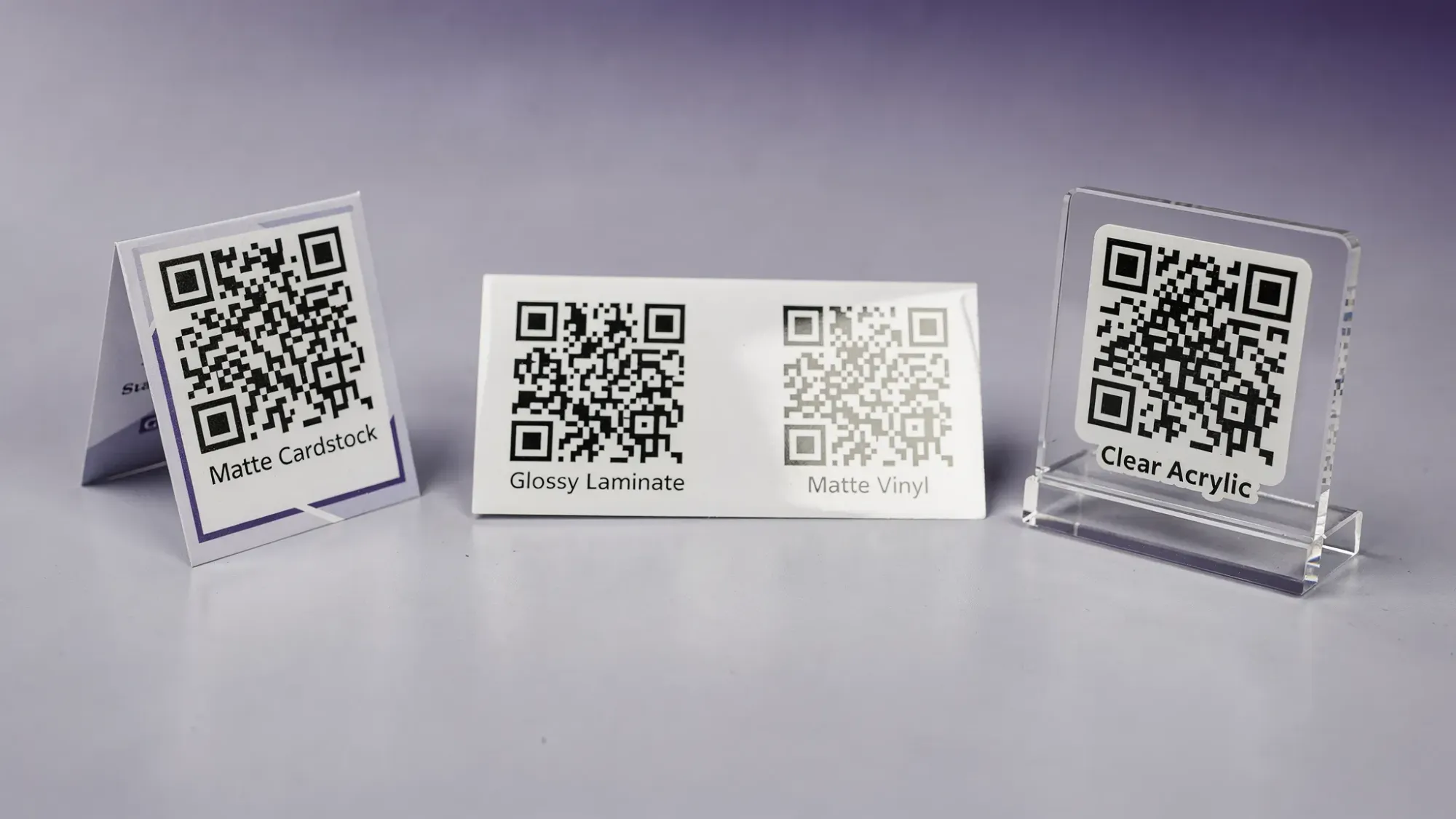
Best for fast scanning: matte cardstock, matte vinyl, matte laminate, bead-blasted metal, matte acrylic.
2) High contrast ink on a clean base
Printing a black code on true white is still the most forgiving option across phones. Off-white, kraft paper, clear materials, or “tone-on-tone brand colors” can look great and scan poorly.
If you need brand colors, keep the QR modules very dark and the background very light, and test in low light.
3) Flat and rigid beats curved and flexible
Curvature introduces distortion and changes the apparent module shape. Flexible materials also wrinkle, which breaks the grid.
Fastest scanning surfaces: flat table tents, rigid signs, flat stickers on smooth surfaces.
4) Smooth beats textured
Textures like linen paper, unfinished wood grain, fabric weaves, and embossed finishes can blur edges or create micro-shadows.
If you love the look of texture, use it around the code, not under it.
5) Scratch and smudge resistance
A QR tag at an event gets touched. Oils, condensation, and scratches reduce contrast.
Matte laminates and quality vinyl stickers tend to hold up better than uncoated paper.
6) Lighting behavior in real venues
Ballrooms, bars, and stages often have point-source lighting (spotlights, LEDs) that create harsh glare on glossy surfaces. Outdoor events bring sun angles you cannot control.
When in doubt, choose a material that still scans when you tilt it under a light.
QR tag material options (and when each one wins)
Below is a practical comparison of common materials for event QR tags.
| Material option | Scan speed potential | Durability | Best placements | Watch-outs |
|---|---|---|---|---|
| Matte cardstock (table tents, mini signs) | High | Medium | Guest tables, bars, welcome table | Can bend, can stain if drinks spill |
| Matte laminated cardstock | High | High | Anywhere guests handle it (photo prompts, booths) | Avoid glossy laminate, glare is the enemy |
| Vinyl sticker (matte) | High | High | Mirrors, bathroom doors, bar fronts, venue pillars | Curved surfaces can distort, apply without bubbles |
| Paper sticker (uncoated) | Medium | Low | Short events, indoor, low-touch areas | Smudges, tears, humidity |
| PVC plastic card (matte print) | High | Very high | Lanyards, badges, staff “photo captain” cards | Glossy card stock can reflect, choose matte |
| Acrylic sign (matte face or printed insert) | Medium to High | High | Welcome signage, check-in, sponsor walls | Clear glossy acrylic can reflect heavily |
| Metal plate (etched/engraved, matte finish) | Medium | Very high | Permanent installs, outdoor, branded fixtures | Highly reflective metals scan poorly unless finished matte |
| Fabric (printed patch, wristband) | Low to Medium | Medium | Festivals, wristbands | Fabric texture and wrinkles reduce edge clarity |
Matte cardstock: the simplest “always works” default
For weddings and parties, matte cardstock table tents are often the best mix of scannability, cost, and aesthetics. They are also easy to replace if one gets damaged.
If you are using a shared camera flow (scan, shoot, upload), like Revel.cam Moments, table tents and bar signs usually outperform “one big code somewhere” because guests run into them naturally.
Lamination: do it, but choose the right kind
Lamination is great for durability, but the finish matters more than people expect.
- Matte laminate typically improves real-world scan reliability by resisting glare and fingerprints.
- Glossy laminate often looks premium and scans worse under venue lighting.
If your printer only offers glossy, consider a different approach, like sliding a print into a matte sleeve, or using a matte vinyl sticker.
Matte vinyl stickers: best for high-traffic touchpoints
Matte vinyl is a top performer for scan speed because it stays flat, keeps edges crisp, and tolerates moisture. It is ideal for:
- Bathroom mirror signs (“Scan to add your shots”)
- Bar signage
- Entryway and exit doors
- Photo booth areas
A key detail is application. Air bubbles and wrinkles can break the code enough to slow scanning. Use a squeegee (or a card) and apply slowly.
Acrylic signs: great visibility, but glare is common
Acrylic works well when:
- The code is printed on a matte insert behind acrylic, not directly on glossy acrylic.
- The sign is positioned to avoid direct reflections from overhead lights.
If you love the look of acrylic for weddings or brand activations, treat it like a lighting object, not just signage. Walk around it and see where glare lands.
Metal QR tags: only “fast” if the finish is matte
Engraved or etched metal is durable and feels premium for permanent installations or repeated corporate events. The problem is reflectivity.
If you go metal, prioritize:
- Matte finishes (bead-blasted, powder-coated, brushed matte)
- Deep, crisp etching (soft engraves can lose definition)
- High contrast infill if possible
Polished stainless steel can look incredible and scan inconsistently. A phone camera cannot decode what it cannot see.
Fabric and “cute” surfaces (wood, leather, textured papers): use with care
Wood, leather, and fabric can be beautiful for a themed event, but they are rarely the fastest scanning option. Texture and uneven contrast slow down detection.
A practical compromise is to keep the aesthetic material for the sign, then mount the QR code as a matte printed label on a flat patch.
Print method tips that matter more than most people think
Even with the perfect material, print quality can bottleneck scan speed.
Use a vector QR code when possible
A vector export keeps edges crisp at any size. Raster images can blur when scaled, especially if someone drags a small PNG into a design and enlarges it.
Print dark, not “pretty dark”
Washed-out black, dark gray, or certain brand colors can reduce contrast, especially in dim rooms. When guests scan in a reception hall, the camera is already dealing with noise and motion.
Avoid thin “quiet zones”
QR codes need a clear border around them (often called the quiet zone) so the camera can separate code from background. Crowding the code with decorative frames, florals, or text can hurt scanning.
If you want a QR tag to scan fast, give it breathing room.
Size and distance: make it bigger than you think you need
There is no single perfect size, because scan distance varies by placement (table tent vs poster vs stage signage) and camera quality varies by guest.
A safe rule for events is:
- Close-range touchpoints (table tents, bar signs): medium size, easy to fill the camera view.
- Farther signage (welcome boards, sponsor walls): large enough that guests do not have to walk right up to it.
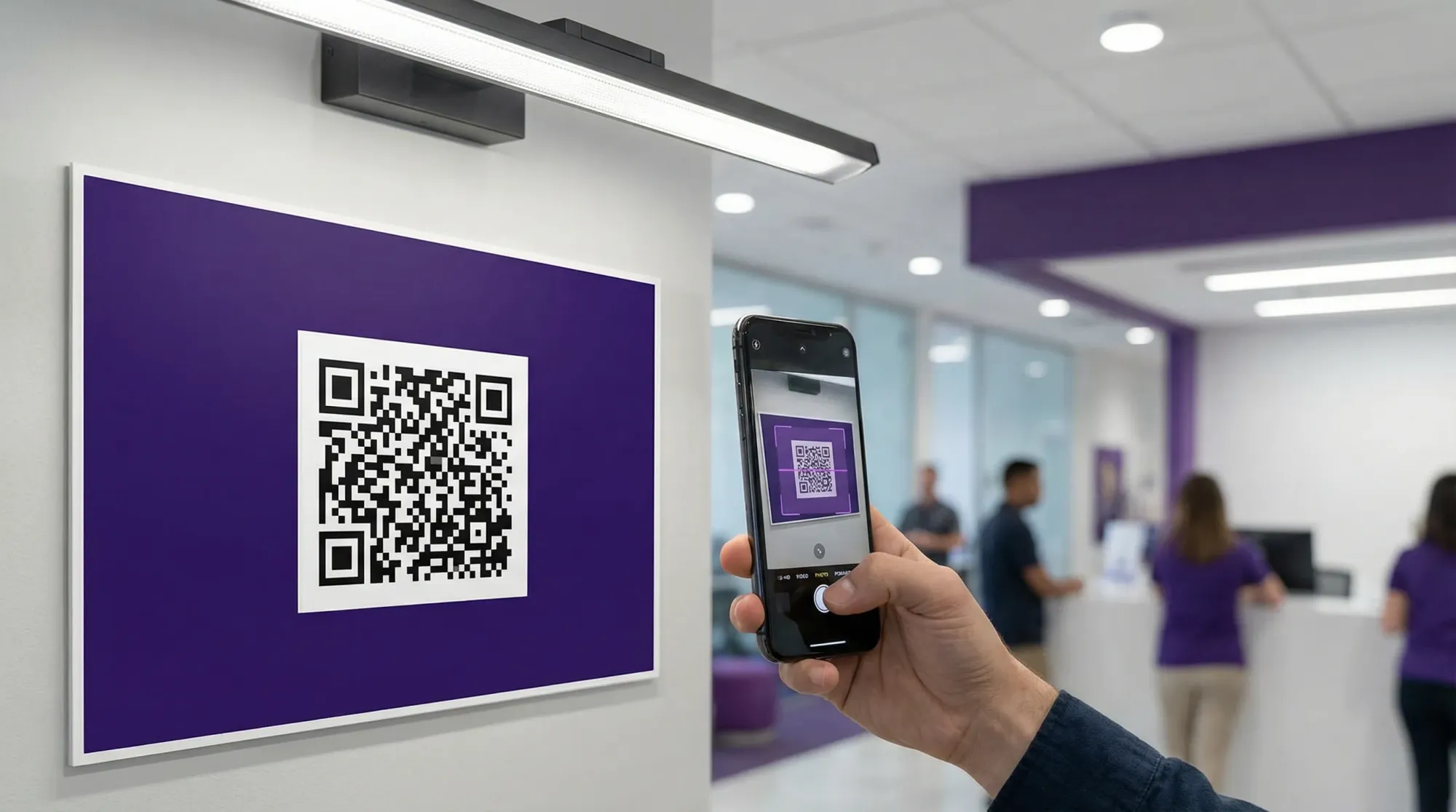
The right way to decide is not guesswork, it is testing. Print one prototype at your planned size, place it at the real distance, and scan it on multiple phones.
Apple’s guidance on scanning QR codes is intentionally simple because the camera does the work, but that also means your printed code must be readable in the camera view quickly. See Apple Support’s QR scanning overview for what guests will do instinctively.
Material recommendations by event type
Weddings and private parties
Choose materials that survive drinks and dim lighting.
- Best default: matte laminated table tents plus matte vinyl stickers for high-traffic areas.
- Avoid: glossy lamination on small table cards.
Corporate events and conferences
Optimize for speed, brand safety, and repeatability.
- Best default: matte PVC cards for staff, matte foam board or matte posters for wayfinding, matte vinyl for venue surfaces.
- If you need permanence: matte-finished metal can work, but test in the actual lighting.
If you are building a controlled photo workflow, pair good QR materials with guardrails (caps, limits, end time, moderation). The privacy and brand-safety side is covered in QR photo for corporate events.
Festivals, schools, and outdoor activations
Sunlight and weather drive the decision.
- Best default: matte vinyl and weather-resistant rigid signage.
- Avoid: uncoated paper, glossy acrylic in direct sun.
A simple test protocol (the fastest way to avoid day-of surprises)
Do this once and you will prevent 90 percent of scanning issues.
Step 1: Test across phones
Scan with:
- One newer iPhone
- One older iPhone
- One Android device
You are checking for the slowest common denominator.
Step 2: Test under venue-like lighting
Try:
- Bright overhead light
- Dim light
- A strong side light (to simulate glare)
If it only scans when the phone is perfectly aligned, your material or finish is fighting you.
Step 3: Test for wear
Rub a thumb across it, splash a few drops of water nearby (if appropriate), and see if contrast changes.
Step 4: Add a backup path
Even the best QR tag can fail if a guest’s camera is struggling. Include a short link as a fallback on the sign.
Revel.cam supports sharing via QR code, NFC tag, and link, so you can build redundancy into your event setup without adding complexity for guests. For more on the overall workflow, see QR code camera.
Quick picks: the best QR tag materials for fast scanning
If you want a clean recommendation without overthinking it:
- Best all-around: matte laminated cardstock.
- Best for high-traffic surfaces: matte vinyl sticker.
- Best “premium look” with good scans: acrylic sign with a matte printed insert (or matte face).
- Best for permanence: matte-finished metal (not polished).
The core principle is consistent: matte, high-contrast, flat, and durable beats glossy, textured, curved, or low-contrast.
Where Revel.cam fits in (and why scan speed matters)
Revel.cam turns an event into a shared camera. Guests scan a QR code (or tap an NFC tag) to open the camera instantly, with no app install or signup required (on iPhone, it can launch as an App Clip). That zero-friction flow only works as well as your QR tags.
If you are preparing for an event, create your Moment, generate your QR, then print one prototype on your chosen material and test it in real lighting. When scanning is effortless, participation goes up, and your gallery becomes a complete story instead of a partial recap.

A writer interested in connection, memory, and the everyday moments that matter more than we realize.
Tags: Cam QR , QR code camera , QR code for photos , QR photo sharing , QR Tags