QR Photo Sharing Made Simple for Weddings and Parties
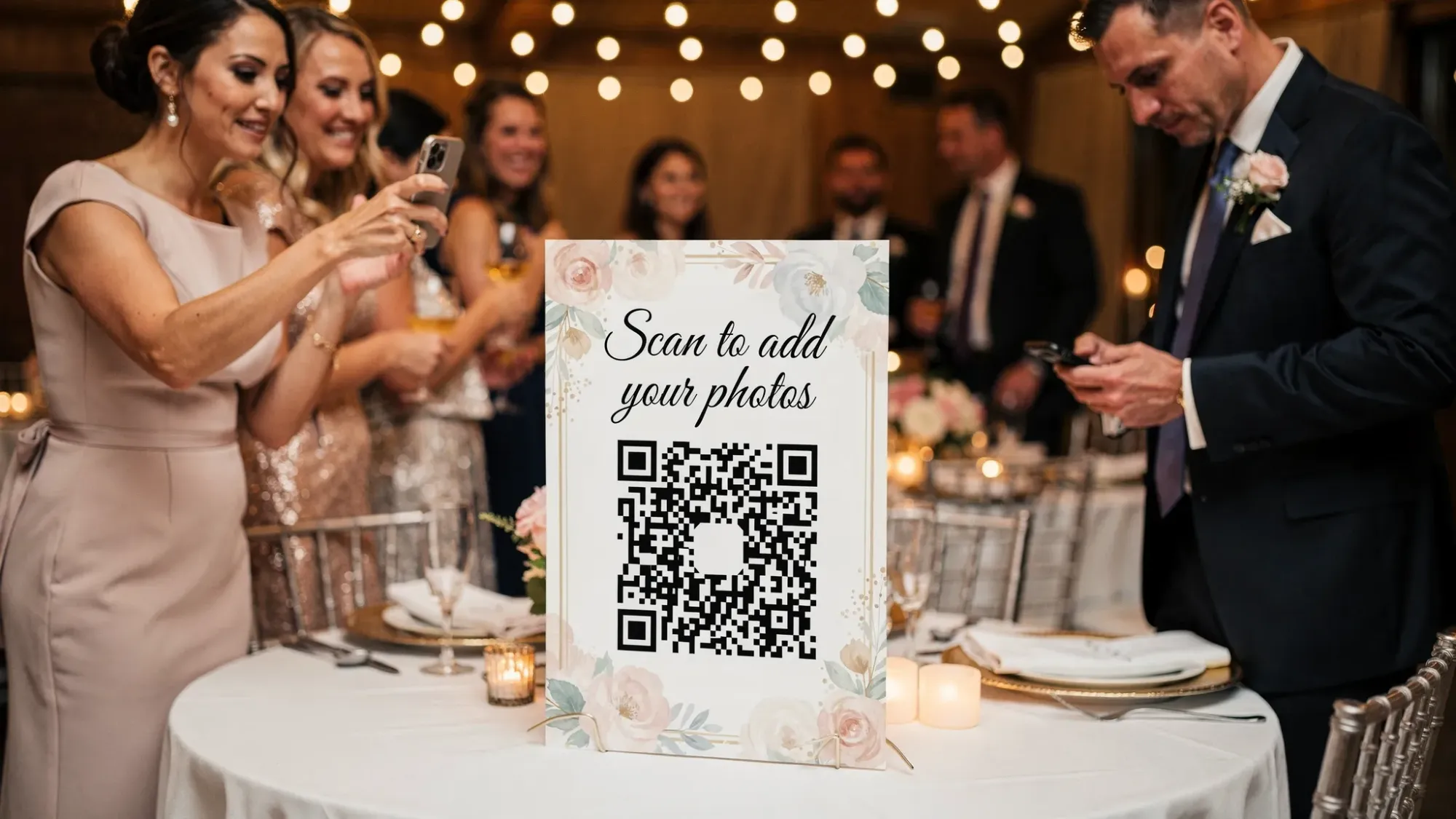
Wedding and party photos tend to split into two extremes: the “official” images you get weeks later, and hundreds of guest shots that never make it off people’s phones. QR photo sharing fixes that gap by letting guests scan a code and contribute instantly, without the friction of downloads, logins, or chasing links.
If you’re planning a wedding, birthday, graduation, or house party, this guide breaks down what QR photo sharing is, how to set it up smoothly, and what to look for in a tool so you end up with a gallery everyone actually enjoys.
What “QR photo sharing” means (and why it works at events)
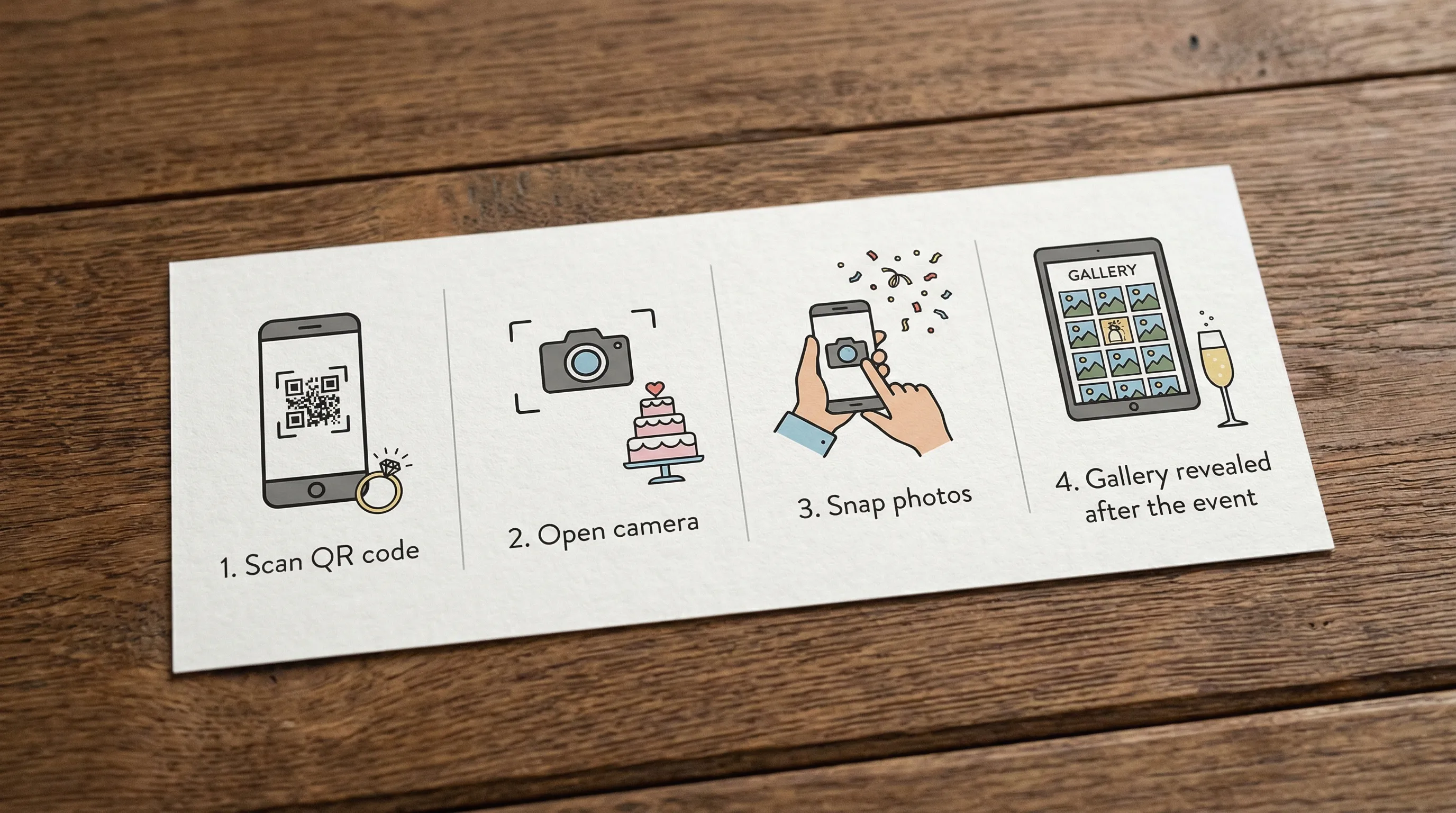
QR photo sharing is a simple flow:
- You display a QR code at your event.
- Guests scan it with their phone camera.
- A camera or upload page opens.
- They snap photos and those photos land in a shared gallery.
Because modern phones scan QR codes directly from the built-in camera apps, most guests do not need special instructions. Apple documents QR scanning through the iPhone Camera app in its support resources, and Android devices generally support QR scanning through the Camera app or Google Lens depending on model and settings (it’s worth testing with a couple of phones in advance).
Why QR photo sharing is perfect for weddings and parties
It removes the biggest blocker: friction
Traditional “please upload your photos later” requests fail because they depend on memory, spare time, and extra steps. QR photo sharing asks for the smallest possible commitment: scan, snap, done.
It includes everyone, not just the social posters
Hashtags only capture people who post publicly and remember to tag. Shared albums often require an invite, app, or account. QR codes meet guests where they are, even the ones who never post but still take great candid photos.
It captures the moments you actually miss
Photographers are essential, but they can’t be everywhere at once. QR guest photos fill in the story: pre-ceremony jitters, behind-the-scenes chaos, late-night dance floor energy, and table-side laughs.
It’s easy to design around your aesthetic
A QR code can live on a welcome sign, bar menu, table tent, or photo prompt card. The tech disappears into your event design.
Where to place QR codes so guests actually use them
Placement matters more than most people expect. Guests contribute most when the QR code is visible at the exact moment they’re already holding their phone.
High-performing placements for weddings and parties:
- Welcome area (first scan sets the habit)
- Bar (people are already waiting and chatting)
- Guestbook or card table (natural “pause point”)
- Centerpieces or table tents (repeat exposure all night)
- Photo booth backdrop area (where phones are already out)
- Exit sign (last call for uploads)
A good rule: place the QR code in at least three different zones so guests don’t have to go looking for it.
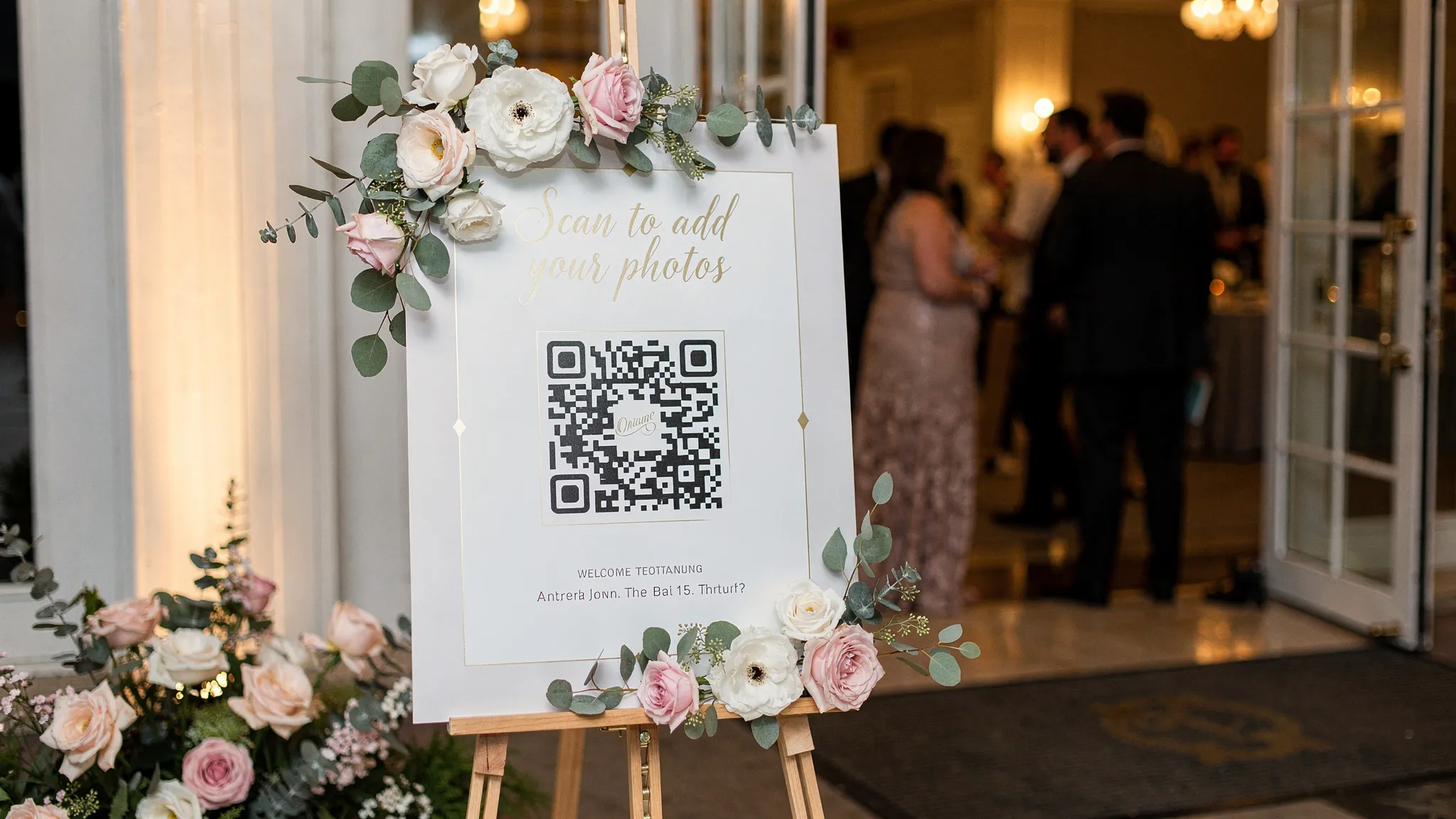
The simplest setup plan (that won’t interrupt your day)
Decide what kind of gallery experience you want
Before choosing any tool, decide two things:
- Do you want photos visible immediately, or revealed later? Many couples prefer a delayed reveal so everyone gets to relive the night together.
- Do you want any moderation? If you’d rather avoid accidental uploads or off-topic photos, host review and approval can be important.
Create one clear call to action
Your signage should answer three guest questions in one glance:
- What is this?
- What do I do?
- What happens to the photos?
Examples that work well:
- “Scan to take photos for the couple”
- “Scan to add to tonight’s party camera”
- “Scan, snap, upload. Gallery reveals after the event”
Keep it short. Guests will not read a paragraph on a sign.
Print, test, and stress-test
Do a quick test checklist:
- Scan from 2 to 3 feet away and from 6 to 8 feet away
- Test in warm/dim lighting (common at receptions)
- Test on iPhone and Android
- Test using both camera scan and a QR scan app (some guests still use them)
If you’re printing table tents, avoid tiny codes. “Bigger than you think” is usually the correct sizing choice.
What to look for in a QR photo sharing tool (weddings and parties)
Not all QR photo sharing solutions are built for live events. Here are the features that matter most for weddings and parties, with why they matter in practice.
No guest signup required
If guests hit a login wall, contributions drop fast. “No signup” is the difference between a fun shared camera and a half-empty gallery.
A built-in camera flow (not just “upload later”)
Guests are more likely to contribute when the QR opens a camera or an instant capture experience, not a request to choose files and upload.
Photo limits per guest
Limits are surprisingly useful. They encourage intentional, candid shots and reduce spam or accidental over-posting. It also recreates the “disposable camera” feel people love.
Host controls and approval
For weddings especially, hosts often want the option to review shots before sharing a full gallery with everyone. It’s not about being strict, it’s about avoiding awkward surprises.
Delayed gallery reveal
A delayed reveal turns the gallery into a shared post-event moment. It also reduces distraction during the event if you want guests to stay present.
Live slideshow (optional, but powerful)
A live slideshow can be a big crowd-pleaser at birthdays, graduations, and casual weddings. It gives guests a reason to participate because they see their shots show up.
QR photo sharing vs other options (quick comparison)
Here’s how QR photo sharing stacks up against common alternatives couples and hosts consider.
| Option | Best for | Common downside at weddings/parties | Guest effort |
|---|---|---|---|
| QR photo sharing | Fast, inclusive guest contributions | Needs printed signage and a quick announcement | Low |
| Shared album link (cloud drive) | After-event uploading | Guests forget, links get buried, some require accounts | Medium |
| Social hashtag | Public, social-first events | Misses private guests, inconsistent tagging, privacy concerns | Medium |
| Disposable cameras on tables | Nostalgic look and feel | Film + development cost, delayed results, lost cameras | Low during event, high after |
If your goal is “capture everyone’s perspective with minimal coordination,” QR photo sharing is usually the most reliable path.
A wedding-and-party-friendly approach: Revel.cam
Revel.cam is designed to make events feel like a shared disposable camera, but digital and instant.
Here’s the event flow at a high level (based on how Revel.cam works):
- Hosts create a shared photo experience for the event.
- Guests scan a QR code or tap an NFC tag to open the camera and upload instantly.
- No guest signup or app install is required to participate.
- Hosts can set photo limits per guest to keep it fun and intentional.
- Hosts can review and approve photos before they’re shared broadly.
- The full gallery can unlock after the event ends, so everyone gets the reveal together.
- A live slideshow display can keep the energy up during the event.
This combination maps well to what most couples and hosts want: low friction for guests, control for the host, and a satisfying gallery reveal.
How to introduce QR photo sharing to guests (without feeling “techy”)
You only need two touchpoints: one visual and one verbal.
The visual prompt: signage that feels native
Match your wedding or party aesthetic (minimal, playful, formal, themed) but keep the instruction consistent.
A practical structure:
- Line 1: “Take photos for [Names]”
- Line 2: “Scan the QR code”
- Line 3 (optional): “Gallery reveals after the event”
The verbal prompt: one sentence at the right time
For weddings, the best moment is usually:
- At the start of the reception, during welcome remarks
For parties, the best moment is:
- When most guests have arrived and drinks are flowing
Simple script:
“On your table you’ll see a QR code, scan it anytime to take photos for tonight. The full gallery will be shared after the event.”
That’s enough. If you over-explain, people tune out.
Best practices to get better guest photos (not just more photos)
Use prompts that create variety
If you want more than selfies and group shots, prompt it.
Good prompt examples:
- “Take a photo of something that made you laugh”
- “Snap the best dance floor moment”
- “Capture a behind-the-scenes detail”
- “Take a photo with someone you just met tonight”
Prompts work especially well when printed on table cards next to the QR code.
Plan for lighting
Dim reception lighting can make phone photos noisy. You don’t need to change your vibe, just make it easy:
- Put QR signs in well-lit areas when possible
- Encourage guests to step toward string lights, candles, or venue uplighting for faces
- If you have a photo booth area, keep it bright and flattering
Decide on moderation expectations
If you want a family-friendly gallery or you’re sharing with a wide group, host approval is worth using. If it’s a small friend group party, you may not need it.
Think about privacy early
Guests will ask: “Where do these photos go?” Your signage can answer that gently. For example: “Shared with the group after the event.”
If your event includes kids, workplace colleagues, or sensitive moments, consider keeping the gallery access to your invited group only.
Common issues (and how to avoid them)
“The venue WiFi is bad”
This is the most common failure point. If service is spotty:
- Test the space during setup time if you can
- Place QR codes where cellular signal is strongest (often near windows or less dense interior areas)
- Consider asking the venue about WiFi capacity if you expect a large crowd
Even when guests can take photos, uploads may lag. A smoother network experience leads to more participation.
“People scanned once, then forgot”
That’s normal. Solve it with repeat exposure:
- Put QR codes on tables and at the bar
- Add a quick reminder when the dance floor opens
“Too many low-quality or accidental shots”
Use a photo limit per guest and, if needed, host approval. Limits tend to increase quality because guests save shots for moments that matter.
Frequently Asked Questions
What is QR photo sharing for a wedding? QR photo sharing lets guests scan a QR code to open a camera or upload page and instantly contribute photos to a shared wedding gallery.
Do guests need to download an app to use QR photo sharing? Not with services designed for events. For example, Revel.cam allows guests to participate by scanning a QR code with no signup or app install required.
Is QR photo sharing better than a shared Google Photos or iCloud album? It can be. Shared albums often require an invite or account and depend on guests uploading later. QR photo sharing focuses on instant capture during the event.
Can we review photos before everyone sees them? Yes, some platforms offer host controls with review and approval so you can filter out accidental or unwanted uploads before sharing.
Should we reveal the gallery during the event or after? It depends on your vibe. A delayed reveal keeps guests present and creates a fun post-event moment. A live slideshow can be great for casual parties and high-energy receptions.
Make QR photo sharing effortless with Revel.cam
If you want a simple, guest-friendly way to capture candid wedding and party photos, Revel.cam turns your event into a shared camera. Guests scan a QR code or tap an NFC tag to snap and upload instantly, with no signup required, and hosts can set limits, review photos, and reveal a beautiful gallery when the event ends.
Explore how it works at Revel.cam.

A writer interested in connection, memory, and the everyday moments that matter more than we realize.
Tags: QR photo sharing , Wedding photo sharing , Event photo sharing , Guest photo sharing , Wedding planning , Party planning