Best Wedding Planning Websites for Timelines, Budgets, Guests
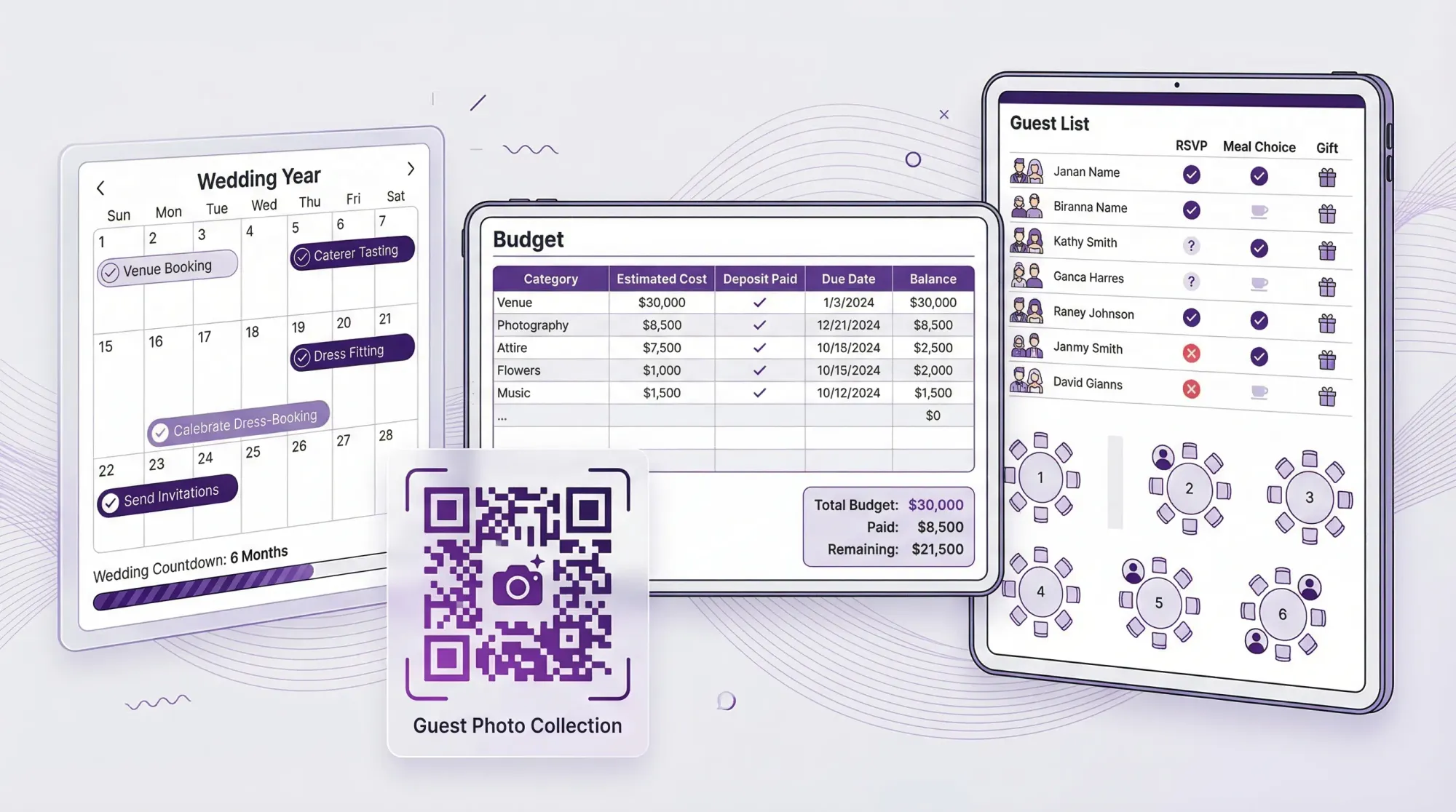
Wedding planning is mostly three problems in a trench coat: timing (what happens when), money (what it costs and when it’s due), and people (who’s invited, who said yes, and where they sit). The right wedding planning websites make those three things easier to see, easier to share, and harder to mess up.
This guide breaks down the best wedding planning websites for timelines, budgets, and guests, plus a simple way to combine them so you are not rebuilding the same information in five different places.
What to look for in wedding planning websites (so you don’t redo everything later)
Most couples start with one site, then quietly add a spreadsheet, a notes doc, and a half-finished checklist somewhere else. That is normal. The goal is not “one tool forever,” it is one source of truth for each job.
Here’s what matters most for each planning job.
1) Timeline features that actually help
A good timeline tool should do more than show a generic checklist.
Look for:
- Milestone templates that adjust based on wedding date
- Custom tasks (because your venue or culture may not match the template)
- Shared access for your partner, planner, or a parent helper
- Exportability (printable view, shareable link, or copyable tasks)
Red flag: a timeline that only works if you also book vendors through the platform.
2) Budget tools that match how wedding spending works
Wedding budgeting is not just “total cost.” It is deposits, due dates, and messy categories.
Look for:
- Line-item budgeting (not only category totals)
- Estimated vs. actual tracking
- Payment schedule fields (deposit date, final payment due)
- Easy editing (you will change numbers constantly)
- Export to CSV or a spreadsheet-friendly format
Red flag: budget tools that are hard to customize, or that hide your data behind upsells.
3) Guest and RSVP tools that reduce friction
Your guest system touches everyone, so guest experience matters.
Look for:
- Online RSVPs that work well on mobile
- Household grouping (families, couples, plus-ones)
- Dietary and custom questions
- Messaging (email collection, updates, reminders)
- Seating chart support or easy export to a seating tool
Red flag: anything that forces guests to create accounts, download apps, or jump through steps.
Best wedding planning websites for timelines, budgets, and guests (2026 picks)
There is no single “best” for everyone. Below are strong options depending on whether you want an all-in-one site, a flexible DIY stack, or planner-friendly collaboration.
Zola (best all-in-one for couples who want one hub)
If you want one website to cover a lot of the basics in one place, Zola is a common starting point. It combines a wedding website, RSVPs, registry, and planning tools.
Why it’s good for this headline:
- Solid guest and RSVP flow that many guests already recognize
- Helpful checklists and planning guidance for timelines
- A built-in approach to keeping guest info and events organized
When it’s not ideal:
- If you want maximum customization in budget structure, you may still end up in a spreadsheet
- If you are intentionally avoiding vendor marketplaces as your planning “home base”
The Knot (best for timeline templates + vendor discovery)
The Knot is especially strong if you are early in planning and you want both structure (timeline/checklist) and vendor research in the same ecosystem.
Why it’s good:
- Strong planning timeline prompts and reminders
- Widely used wedding website + RSVP flow
- Helpful when you are still building your vendor shortlist
Watch-outs:
- If you already have vendors, you may not need the vendor directory layer
- Couples who prefer a minimalist stack sometimes find it “too much stuff”
WeddingWire (best for comparing vendors and quotes)
WeddingWire overlaps with The Knot in many ways, but many couples like it specifically for vendor research and reviews, especially when you are comparing options quickly.
Why it’s good:
- Useful for vendor comparison and outreach
- Planning tools that can support your timeline and early budget estimates
Watch-outs:
- Treat it as a research tool first, and be intentional about where your final budget and guest list live
Joy (best wedding website for guest experience and RSVPs)
If your #1 priority is a clean guest-facing site and smooth RSVPs, Joy is a strong option.
Why it’s good:
- Guest experience tends to feel simple and modern
- RSVP system is a great base for guest list accuracy
- Works well if you are pairing it with a separate budget tool
Watch-outs:
- You may still want a dedicated workspace (Notion, Trello, or Sheets) for timeline customization
Google Sheets (best for budget control, customization, and portability)
Not glamorous, but extremely effective. Google Sheets is still one of the best “wedding budget websites” if you care about customization and not losing your data.
Why it’s good:
- Fully customizable budget categories and line items
- Easy to track deposits, due dates, and vendor payment status
- Easy to share with a planner or financially involved family member
Watch-outs:
- You have to bring your own structure (template, categories, discipline)
Notion or Trello (best for timeline collaboration and planning clarity)
If you want a planning command center that is more flexible than typical wedding checklists, use a general workspace tool:
- Notion for docs, databases, and a “wedding wiki”
- Trello for a simple visual task board and timelines
Why they’re good:
- Perfect for custom timelines, vendor notes, and decision logs
- Great collaboration for couples and planners
Watch-outs:
- Not guest-facing. You will likely still want a separate RSVP website.
AllSeated (best for seating charts and floor plan logistics)
Seating is where guest data becomes logistics. AllSeated is a specialized tool often used for floor plans and seating layouts.
Why it’s good:
- Purpose-built for seating and layouts
- Useful when your venue layout is complex
Watch-outs:
- It is not a full planning hub. Use it as a specialist layer.
Quick comparison table (timelines, budgets, guests)
Use this as a shortcut based on what you need most right now.
| Wedding planning website | Best for | Timeline help | Budget help | Guest/RSVP help | Ideal if you… |
|---|---|---|---|---|---|
| Zola | All-in-one hub | Strong | Medium | Strong | Want one place for website, RSVPs, and planning basics |
| The Knot | Planning structure + vendor discovery | Strong | Medium | Strong | Want templates plus vendor search in the same ecosystem |
| WeddingWire | Vendor comparison | Medium | Medium | Medium | Are actively comparing vendors and collecting quotes |
| Joy | Guest experience + RSVPs | Medium | Light | Strong | Want a clean wedding website and reliable RSVPs |
| Google Sheets | Budget control | Medium | Strong | Light | Want total control and easy sharing/export |
| Notion / Trello | Custom planning workspace | Strong | Medium | Light | Want a flexible timeline and a clear planning “home base” |
| AllSeated | Seating + layouts | Light | None | Medium | Need help turning guest counts into a workable room plan |
The simplest “stack” that works (pick one of these and stop adding tools)
Most couples do best with a small stack: one home base, one guest system, one budget system. Here are three proven combinations.
Option A: The all-in-one couple (fastest setup)
Use:
- Zola or The Knot for website, RSVPs, and planning checklist
- Google Sheets only if you want deeper budget control
Best for: couples who want to move quickly and avoid over-building systems.
Option B: The spreadsheet-led planner (best budget clarity)
Use:
- Google Sheets for budget and vendor payments
- Joy (or Zola/The Knot) for website + RSVPs
- Notion or Trello for timeline if you want more customization
Best for: couples optimizing spend, negotiating vendors, or tracking shared family contributions.
Option C: Planner-friendly collaboration (best for complex weddings)
Use:
- Notion or Trello as the “wedding HQ” (timeline, decisions, vendor notes)
- Joy (or Zola/The Knot) for guest-facing website + RSVPs
- AllSeated for seating once RSVPs stabilize
Best for: multi-event weekends, cultural weddings, destination logistics, or large guest counts.
Don’t forget the “memories” job: collecting guest photos without chaos
Timelines, budgets, and guest lists get you to the wedding. But most couples also run into a quiet fourth problem:
You end up with amazing photos scattered across 40 phones, a few group chats, and a couple of forgotten shared albums.
If you want guest photos that actually arrive, you need a workflow that:
- Works instantly at the event
- Does not require logins or app installs
- Uploads automatically into one private place
That is exactly what Revel.cam is built for.
With Revel.cam, you create a private event space called a Moment, then place a QR code (or use an NFC tag) at your wedding so guests can scan or tap, take photos, and have them upload automatically. As the host, you can set guest limits, photo limits per guest, choose an end time, and review shots before sharing the final gallery.
If you want the full guest-photo workflow, these guides pair well with the planning websites above:
- Wedding Planning Tool: The Guest Photo Collection Plan (Checklist + Timeline)
- Wedding Guest Photos: The Best Way to Collect Them Fast
- The Ultimate Wedding Photo Gallery: How to Collect Every Guest’s Photos in One Place
A practical setup order (so you feel organized by this weekend)
You can get 80 percent organized in a single afternoon if you do it in the right order:
-
Pick your guest/RSVP website first, because it affects communication.
-
Set up your budget next, because vendor decisions follow money.
-
Build your timeline last, using real vendor deadlines (not generic ones).
Once those three are stable, add “memories” as a layer (guest photos) so it does not become a post-wedding scavenger hunt.
Frequently Asked Questions
What are the best wedding planning websites for timelines? The Knot and Zola are strong for built-in checklists and timeline prompts. For fully custom timelines, Notion or Trello usually work better.
What is the best wedding planning website for budgets? If you want maximum control, Google Sheets is hard to beat because you can track line items, deposits, and due dates exactly how you want.
Which wedding planning websites have the best guest list and RSVPs? Zola, The Knot, and Joy are popular for guest-facing websites and RSVP collection. The best choice depends on how simple you want the guest experience to be.
Do I need an all-in-one wedding planning website? Not necessarily. Many couples do better with a small stack, for example Joy for RSVPs plus Google Sheets for budget, especially if you care about portability.
When should I start building my wedding timeline? Start with major vendor deadlines (venue, catering, photographer) and work backward from your ceremony time. A generic checklist is a good start, but your real timeline should reflect your actual contracts and logistics.
How can I collect guest photos without chasing everyone afterward? Use an in-the-moment capture flow, like a QR code that opens a shared camera and uploads automatically. That way photos go into one gallery during the event, not weeks later.
Create one place for guest photos (no apps, no logins)
If you already have your timeline, budget, and guest list under control, the next easiest win is making sure you actually receive the photos your guests take.
Revel.cam turns your wedding into a shared camera: guests scan a QR code (or tap an NFC tag) to snap and upload photos instantly, with no signup and no app install required. Create your Moment, set your limits, and end the night with one private gallery you can review and share.
Start here: Revel.cam

A writer interested in connection, memory, and the everyday moments that matter more than we realize.
Tags: Wedding planning , Affordable wedding planning , Wedding planning app , Wedding planning tool