Birthday Photo Ideas: A Simple Shot List for Any Party
Most birthday parties have the same photo problem: the best moments happen fast, everyone takes a few pictures, and then the memories scatter across group chats, camera rolls, and “I’ll send it later.”
If you want birthday photo ideas that actually work at a real party (not a 2-hour posed shoot), you need two things:
- A simple shot list that matches how parties naturally flow
- A low-friction way for guests to contribute while the party is happening
Below is a flexible shot list you can use for kids, teens, adults, and milestone birthdays, plus quick prompts and setup tips so the photos feel candid, not staged.
The 3-bucket rule (so you don’t overthink it)
A complete birthday gallery is usually made of three types of images. If you cover all three, the party will feel “fully captured,” even if nobody is acting like a photographer.
1) People (who was there)
Focus on small groups and interactions, not just one giant group shot.
2) Moments (what happened)
Arrivals, games, toasts, cake, gifts, dancing, the quiet in-between.
3) Details (what it looked like)
Decor, food, the cake, candles, hands opening gifts, the mess after.
When hosts feel disappointed with party photos, it’s usually because one of these buckets is missing.
Birthday photo shot list (simple, party-proof)
Use this as a checklist, not a script. You’re aiming for coverage, not perfection.
| Party moment | What to capture | Quick prompt that gets a real photo |
|---|---|---|
| Before guests arrive | The space, decorations, cake, table setup | “Take 3 wide shots, then 5 close-ups of details.” |
| The first arrivals | Hugs, hellos, coats/drinks in hand | “Photograph the greeting, not the pose.” |
| The host with key people | Birthday person with parents, best friend, partner, siblings | “One quick photo each, then move on.” |
| The full room vibe | A wide shot of everyone mid-conversation | “Stand in a corner and wait for laughter.” |
| Food + drinks | The spread before it gets touched | “One clean shot of each station.” |
| Candids at tables | People leaning in, telling stories, kids doing kid things | “Shoot while they’re talking, not looking at you.” |
| Activity or game | Everyone participating (and the bystanders reacting) | “Get faces reacting, not just the game.” |
| The ‘in-between’ | Someone fixing a candle, tying a shoe, helping a kid | “Small moments are the story.” |
| Cake carried in | Anticipation, phones up, surprise | “Back up and capture the whole scene.” |
| Candles lit | The glow, the group, the birthday person’s expression | “Expose for faces, not just flames.” |
| The wish + the blowout | The instant before, then the aftermath | “Take a short burst, then stop.” |
| First bite | Laughing, frosting moments, the first reactions | “Stay close, keep it playful.” |
| Gifts (if you do them) | The opener’s face, the giver’s face | “Two-shot rule: reaction, then thank-you.” |
| Group photo(s) | One full group plus a few small clusters | “Do it right after cake, before people leave.” |
| Late-party energy | Dancing, games, silly photos | “Use flash if the room is dim.” |
| The end | Messy table, leftover cake, tired smiles | “A ‘closing scene’ makes the gallery feel complete.” |
Prompts that make birthday photos feel candid (not corny)
If you say “Smile!” you’ll get polite smiles. If you give a micro-prompt, you’ll get movement and real expressions.
Here are a few that work for almost any age:
- “Everyone look at the birthday person and say their name at the same time.”
- “Tell them your first memory of them (one sentence).”
- “Show me the cake like it’s a trophy.”
- “Pick someone and recreate a photo you took years ago.”
- “On three, do your most dramatic applause.”
Keep prompts short. The goal is to trigger a reaction in under 10 seconds.
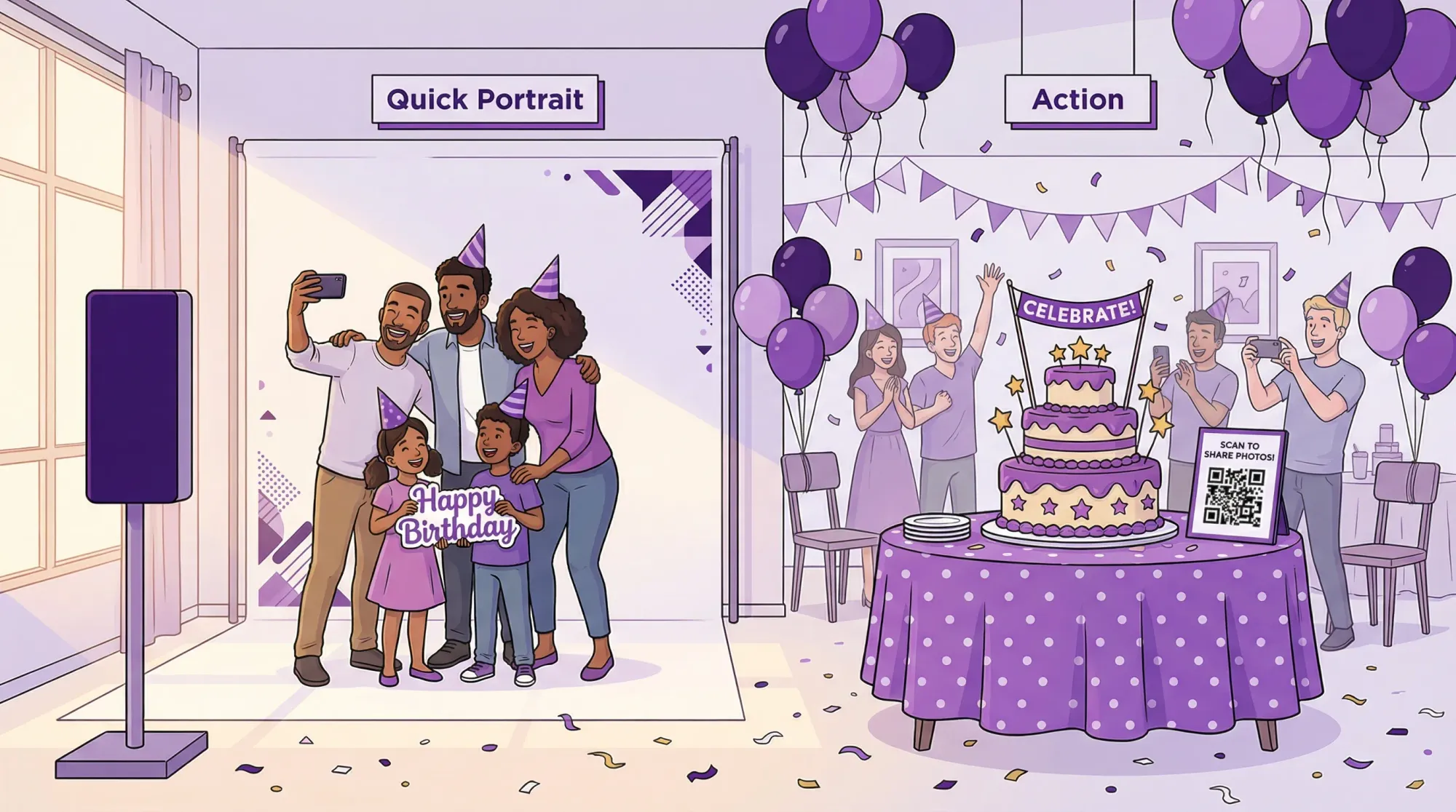
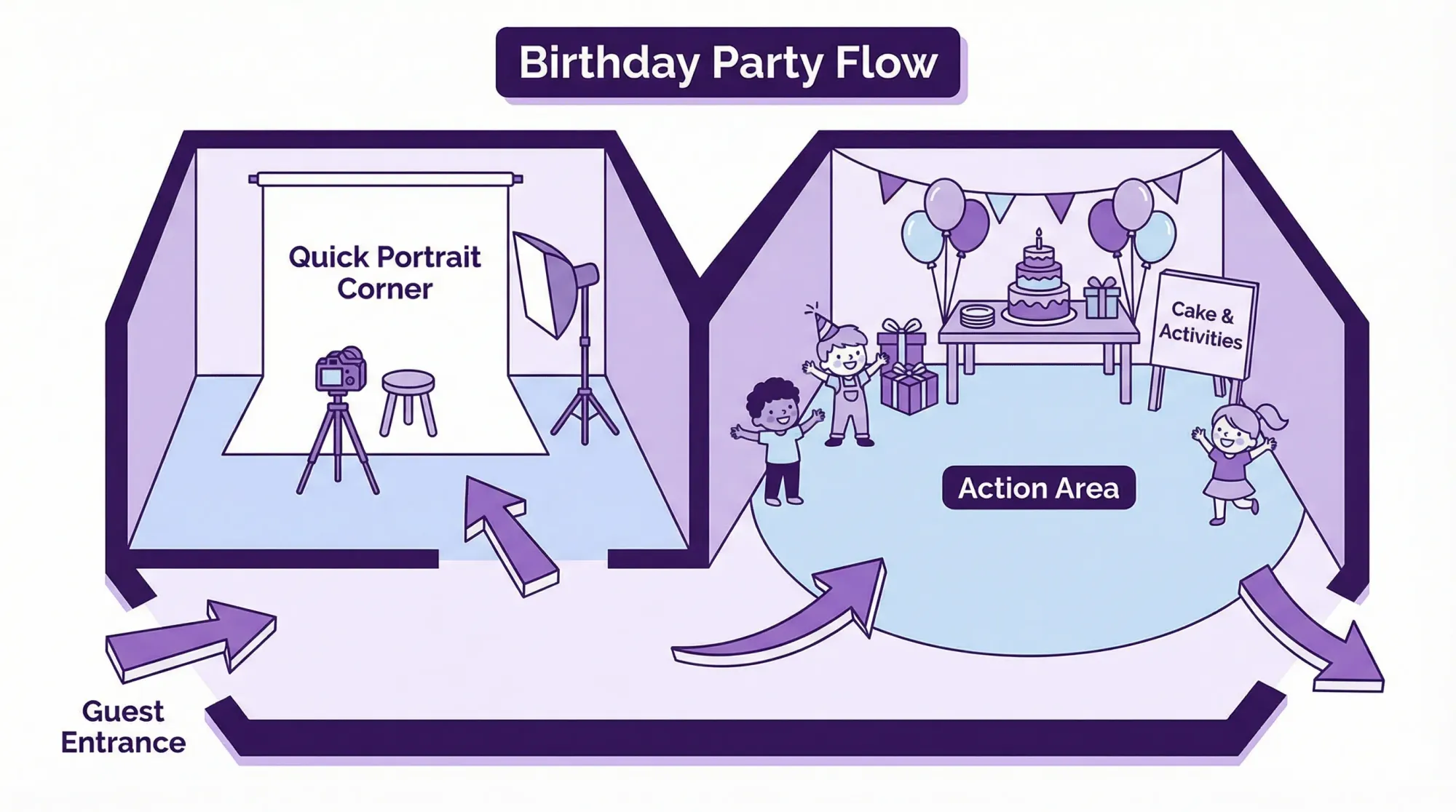
The easiest way to upgrade results: set up 2 photo zones
You don’t need a full photo booth. You need two predictable places where lighting is decent and people naturally pass through.
Zone A: The “Quick Portrait” spot
Choose one area with:
- Natural window light, or a lamp that lights faces (not overhead only)
- A clean background (wall, curtain, simple decor)
- Enough room for 2 to 6 people
This is where you grab “birthday person + important people” without stopping the party.
Zone B: The “Action” spot
Put this where energy happens:
- Near the cake table (before cake)
- Near games
- Near the dance floor or music
The best candids come from staying close to activity, not chasing it.
Quick phone tips that noticeably improve party photos
You don’t need fancy gear, but a few choices make a big difference.
Use the 1x camera (most of the time)
On many phones, 1x is the sharpest and fastest for low light. Wide angle can distort faces up close.
Clean the lens once
It sounds too basic, but it fixes a lot of hazy, “why is everything soft?” photos.
In dim rooms, embrace flash (strategically)
For candles and cake, try no flash first. For dancing and late-night moments, flash often looks better than blurry darkness.
Take fewer photos, but time them better
The best party photos usually happen:
- 1 second after the joke lands
- Right as someone turns toward a friend
- When hands are doing something (cutting cake, opening gifts)
If you’re shooting nonstop, you miss those beats.
If you only have 10 minutes: the mini shot list
For hosts who want the essentials without thinking about it:
- 1 wide shot of the decorated space
- 1 photo of the cake (clean, untouched)
- 1 photo of the birthday person with each “core group” (family, best friends, partner)
- 1 wide shot of everyone together (right after cake is safest)
- 1 candles moment (lit, wish, blowout)
- 5 candids of people laughing or talking
That alone is enough to make the gallery feel complete.
The real challenge: collecting photos from guests (without chasing)
Even with a great shot list, you’ll still want guest photos. They capture what you never see:
- Side conversations
- Kids playing in a different room
- The angle behind you during cake
- Late-night moments after you’re tired
The problem is not that guests don’t take photos. It’s that sharing is annoying.
A low-friction approach: one shared event camera
Revel.cam is built for this exact moment. You create a private event called a Moment, then guests join by scanning a QR code or tapping an NFC tag. On iPhone, it can launch as an App Clip, which is Apple’s lightweight, instant app experience (no App Store download required). You can read Apple’s overview of App Clips on Apple Developer.
At the party, the flow becomes:
- Scan or tap
- Take photo
- Photo uploads to the party gallery automatically
No logins, no “text it to me,” no post-event folder digging.
If you want a deeper setup guide specifically for QR-based party sharing, Revel also has a practical walkthrough in Party QR code ideas to collect photos from every guest.
Settings that make guest photos better (not just more)
If you’re collecting guest photos, a little structure goes a long way. The goal is a gallery you actually want to scroll through.
| Guardrail | Why it helps | Good default for birthdays |
|---|---|---|
| Photo limits per guest | Encourages intentional shots, reduces duplicates | 10 to 25 photos per guest |
| Clear end time | Prevents random uploads later | End it shortly after the party |
| Multiple QR placements | Increases participation | 3 spots: entry, bar/food, cake table |
| Host review (optional) | Keeps the final gallery clean | On for larger parties |
This is also where birthday parties differ from weddings: you usually want the system to feel casual and fast, but you still want a clean result.
Where to place your QR code at a birthday party
Choose spots where people pause for 5 seconds.
- Welcome table or entry sign
- Food and drinks area
- Cake table (this one matters)
If you make one small sign, the best one-liner is:
“Take a pic for the birthday gallery. Scan, snap, done.”
If you want more examples of wording and placements, see QR photo sharing made simple for weddings and parties.
A simple “photo captain” role (optional, but powerful)
If you can ask one friend or cousin for help, assign a single job:
Photo Captain: responsible for 15 minutes of “coverage” across arrivals, cake, and a few candids.
This is not a second host and it’s not a photographer. It’s just someone who ensures the basics are captured and who reminds a few guests to scan the QR.
Wrap-up: turn your shot list into a shared gallery
The best birthday photo ideas are the ones that fit the party you’re actually hosting. Use the shot list above to cover the story (people, moments, details), set up two easy photo zones, and make sharing effortless so you’re not chasing photos for weeks.
If you want all those guest perspectives in one place, you can create a private birthday Moment on Revel.cam. Share it with a QR code or NFC tag, let guests snap and upload instantly (no signup, no app install), then reveal the gallery when the party ends.

A writer interested in connection, memory, and the everyday moments that matter more than we realize.
Tags: Birthday photos , Birthday party ideas , Birthday , Birthday celebrations , Party , Party photos